An unlocked phone can work with more than one carrier. That gives you more freedom to switch plans, travel with a local SIM, or sell the device with fewer limits.
If you are asking how can I check if my phone is unlocked, the best answer is to use more than one check. Start with settings, then test a SIM or eSIM, and confirm with your carrier when you can. An IMEI report can help too, but it should not be the only proof.
This guide shows practical ways to check unlock status without mixing carrier lock status with iCloud, blacklist, or finance issues.
How can I check if my phone is unlocked?
You can check unlock status in your phone settings, with another carrier's SIM or eSIM, by contacting your carrier, or with an IMEI report from a trusted source. The most reliable answer usually comes from the carrier or a real SIM test, because outside reports can be old or incomplete.
Start with the easy checks first, then use an IMEI check if you need more confidence before you buy, sell, or switch service.
A carrier-locked phone is tied to one mobile network. An unlocked phone is not tied to that carrier, but it still has to support the right bands, eSIM setup, and carrier rules. That is why a phone can be unlocked and still not work well on every network.
Start with your phone's settings
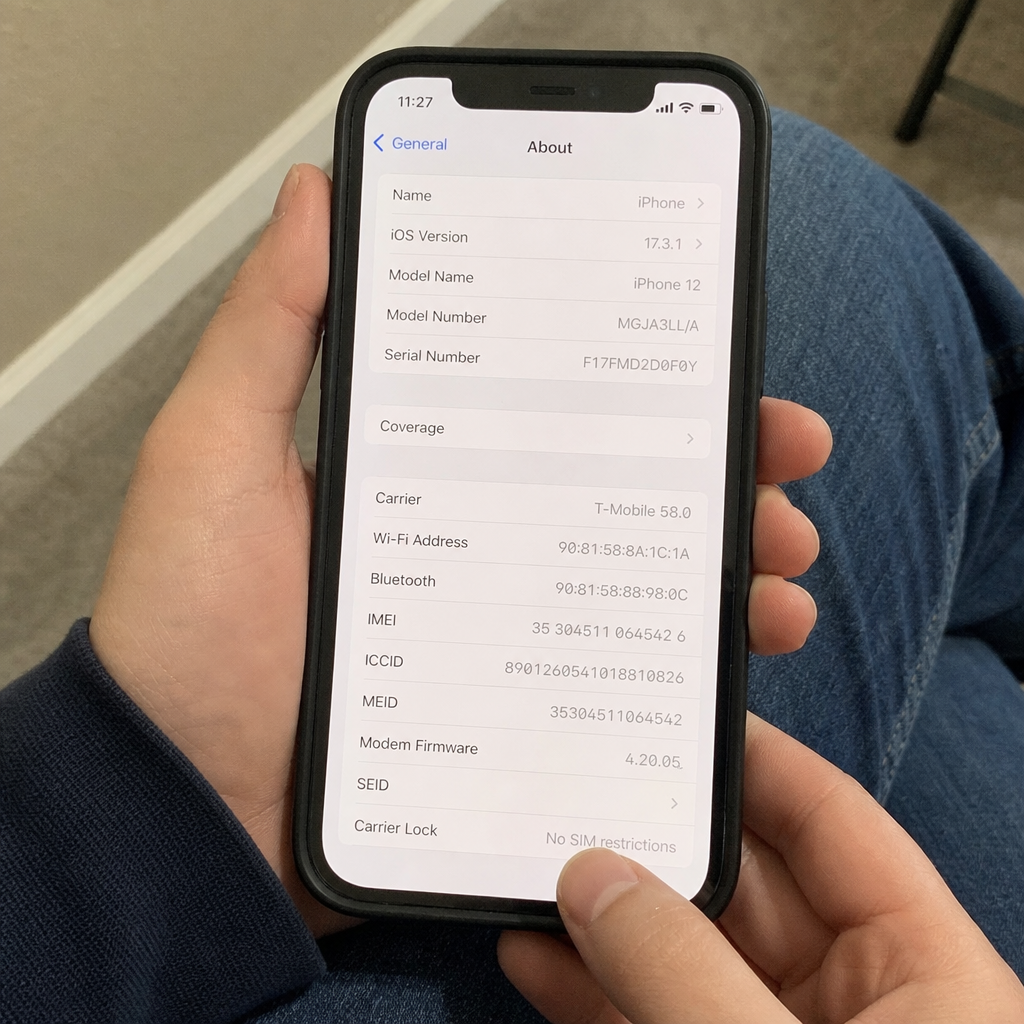
For many people, the fastest way to see whether a phone is unlocked is in the device settings. If you want to know how to see if your phone is unlocked, start there. You do not need to remove a SIM, visit a store, or pay for a report. It is a good first step for a phone you already own.
On an iPhone, go to Settings > General > About. Look for carrier lock or network provider lock. If it says 'No SIM restrictions', the phone is usually unlocked. If it shows that the device is restricted, or if the screen does not clearly show no SIM restrictions, confirm with your carrier.
On Android, the path depends on the brand and carrier. Some phones show network unlock status in settings, while others do not. Look in areas like Connections, Mobile Network, SIM Manager, or About phone. If you do not see a clear answer, do not guess.
Settings are useful, but they are not perfect. Refurbished phones, recent unlocks, and pending carrier updates can confuse the screen. If you are trying to check whether your phone is unlocked before you buy or switch carriers, pair settings with at least one other check.
Test with another carrier's SIM or eSIM
A SIM test is one of the clearest ways to check whether a phone is unlocked. If the phone accepts service from a different carrier, it is likely unlocked. You do not need a long plan for this; a working SIM or temp eSIM is often enough.
Use this basic process:
- Back up your phone first. A SIM test should not erase data, but backing up is a smart habit before changing device settings.
- Power off the phone if you use a physical SIM. Remove your current SIM card and insert a SIM from another carrier.
- Turn the phone back on. Wait a few minutes for the device to search for the new network.
- Check for signal and service. Try a call, a text, or mobile data if the SIM has active service.
- Watch for lock messages. Messages such as 'SIM not supported', 'Network locked', or prompts for an unlock code usually mean the phone is locked.
For eSIM, the process is a little different. You will usually scan a QR code or install a carrier profile in your phone settings. If the phone refuses to add another carrier's eSIM because of a network lock, that is a strong sign it is locked. If the eSIM installs and connects, the device is likely unlocked, as long as the plan is active and the carrier supports your phone model.
This method has one key limit: failed service does not always mean the phone is locked. The other SIM might be inactive, the phone might not support that carrier's network, or the carrier may need to activate the device manually. A SIM test works best when you use a known working SIM from a network the phone supports.
Use your IMEI for another layer of confirmation
Every phone has an IMEI, or International Mobile Equipment Identity. You can usually find it by dialing *#06#, checking the phone's settings, looking on the SIM tray, or reading the box. Once you have the IMEI, you can run a report that may show carrier, blacklist, warranty, or lock info.
For iPhone buyers, searches like imei check iphone unlocked or imei checker for apple are common. People use them for fast proof before they pay for a used phone. An IMEI report can help, especially when you are shopping online and cannot test the phone in person. But treat it as support, not final proof.
A good IMEI check may help you see:
- Whether the device appears to be locked or unlocked
- Whether it has been reported lost or stolen
- Whether the model matches the seller's description
- Whether there may be carrier or activation issues
- Whether the device is linked to account limits
Be careful with free or new IMEI tools. Some collect IMEI numbers for unclear reasons, give vague results, or use old data. If a report says the phone is unlocked but the device shows a SIM restriction in settings, trust the phone and the carrier first.
What is the difference between an IMEI check and an iCloud check?
An IMEI check looks at the device ID. An iCloud check looks at Apple account status, Activation Lock, or whether an iPhone is still tied to someone else's Apple ID. The two are linked to ownership and use, but they are not the same as carrier lock status. That is why the phrase imei icloud check can be confusing.
An iPhone can be carrier unlocked and still be blocked by Activation Lock if the previous owner did not remove it from their Apple account. It can also be free of iCloud issues but still locked to a carrier.
If you are buying a used iPhone, ask the seller to erase it, remove it from their account, and show that it reaches setup without asking for the old Apple ID. Then confirm carrier lock status with settings, SIM testing, or the carrier.
Contact the carrier for the most official answer
Your carrier can usually give the official answer about whether a phone is locked to its network. If you bought the phone from a carrier, financed it, or got it with a plan, the carrier may have unlock rules for payoff, account status, fraud checks, or service time.
When contacting the carrier, have these details ready:
- The phone's IMEI number
- Your account information, if you are the account holder
- The phone number now linked to the device
- Proof of purchase, if available
- The carrier name the phone may be locked to
If the device is eligible, the carrier may unlock it remotely or give steps. Some Android phones need an unlock code, while many modern phones update the status on their own after approval. After the carrier says it is unlocked, restart the phone and test another carrier's SIM or eSIM.
If you are not the original owner, the process can be harder. Some carriers will not discuss account details with a new buyer. In that case, ask the seller to unlock the phone before the sale ends. A seller who refuses, cannot explain the carrier status, or avoids an IMEI check may be a red flag.
Signs your phone may still be locked
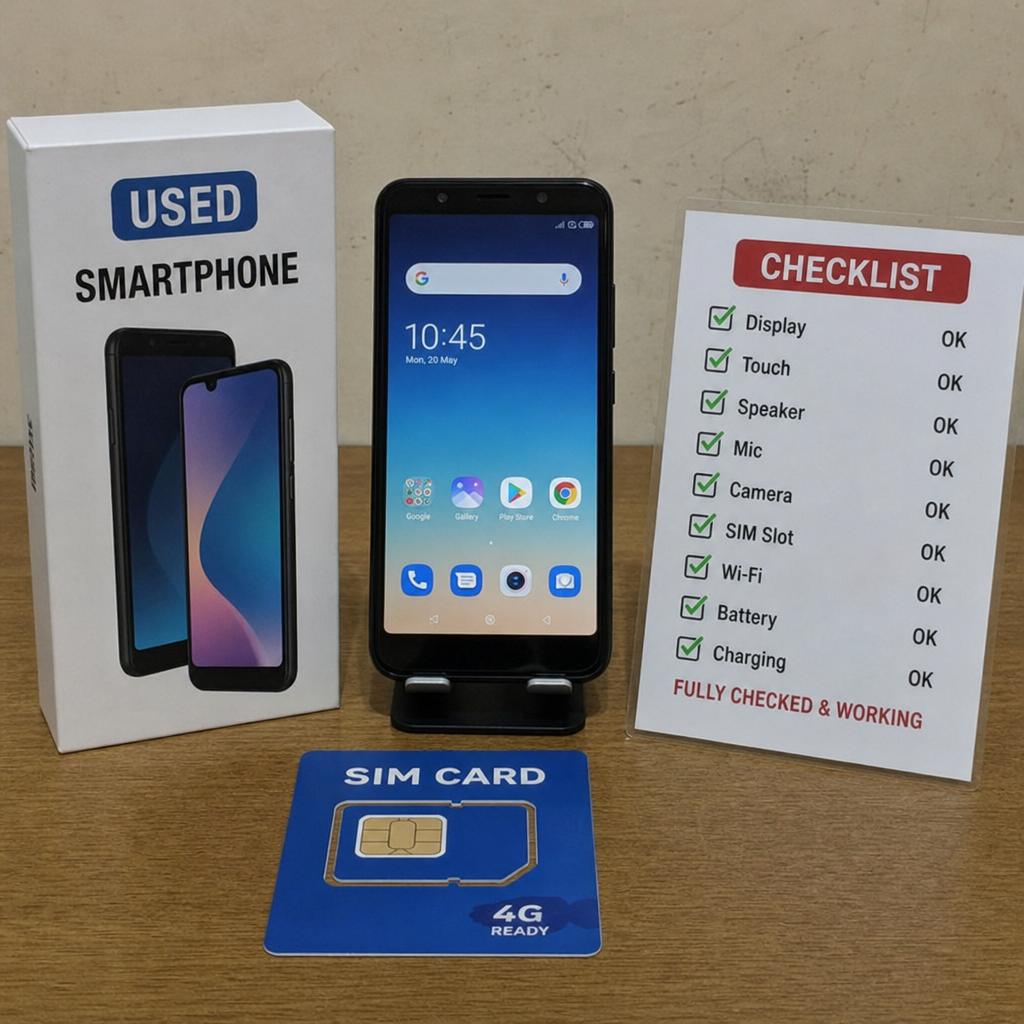
A locked phone often gives clues. Some are clear, while others look like normal activation issues. If you are trying to check to see if the phone is unlocked, pay attention to the exact message on the screen and when it appears.
Common signs include:
- A message saying the SIM is not supported
- A prompt asking for a network unlock PIN or unlock code
- No mobile service after you insert a known working SIM from another carrier
- Carrier settings that show a restriction
- The original carrier confirming that the device is still locked
- Can't add another carrier's eSIM because of a network lock
Before you panic, rule out simpler causes. Restart the phone, update carrier settings if prompted, confirm the SIM is active, and make sure the phone supports the carrier you are testing. Also check that airplane mode is off and mobile data is on. Small setup issues can look like a carrier lock at first glance.
Check before buying a used phone
The best time to confirm unlock status is before you pay. A used phone can look fine, turn on normally, and still have limits that make it hard to use. If the seller says the phone is unlocked, ask for proof instead of trusting the listing.
Use this buyer checklist:
- Ask for the IMEI before meeting or paying. If the seller refuses, treat that as a red flag.
- Run a trusted IMEI check. Look for lock status, blacklist warnings, and model details.
- Check iPhone carrier lock settings in person. For iPhone, look for 'No SIM restrictions' in the About screen.
- Test your own SIM or eSIM if possible. This helps if you already know which carrier you want.
- Confirm iCloud or account removal. For iPhones, make sure the device is not tied to the previous owner's Apple account.
- Avoid rushed deals. A seller who pushes you to skip checks is not worth the risk.
If you buy from a marketplace, keep messages and receipts. If the phone later turns out to be locked, blacklisted, or account-restricted, that record can help with a return or dispute. The more expensive the phone, the more important these checks are.
If you are selling a used phone rather than buying one, you can also use Cashmycell’s depreciation calculator to estimate its current resale value before listing it.
Unlock status is only one part of network fit
An unlocked phone gives you freedom, but it does not guarantee full service on every carrier. Different carriers use different bands, network tech, and activation rules. A phone may accept the SIM but still have weak signal, missing features, or slow data if it was not made for that network.
Before you switch carriers, use the carrier's device check tool if it has one. You may need the IMEI to confirm whether the phone can be activated. This matters for international models, older phones, and phones sold in another region.
Also think about features beyond calls and data. Visual voicemail, Wi-Fi calling, 5G, hotspot support, and eSIM activation may depend on both the phone model and the carrier. If those features matter, ask first.
The safest way to know for sure
If you want the most dependable answer, use more than one method. Start with settings, test another carrier's SIM or eSIM, and confirm with the carrier when you can. Use an IMEI report as extra help, especially for used phones, but do not let a third-party result override what the device or carrier says.
Here is the simplest path:
- Check the device settings for lock status.
- Test a known working SIM or eSIM from another carrier the phone supports.
- Run an IMEI check if you are buying, selling, or troubleshooting.
- Contact the carrier for official confirmation.
- For iPhones, also confirm there is no Apple account or Activation Lock issue.
So, if you are asking how can i check if my phone is unlocked, the short answer is to use more than one check. Settings give you a fast clue, a SIM test shows real-world behavior, and the carrier can confirm the official lock status. A few minutes now can save you from activation problems, wasted money, and later stress.
For more practical tips, how tos, and insights on your phone’s value, depreciation, upgrades, and everything in between, check out more articles on the Cashmycell articles.
FAQs
1. Is the iPhone setting 'No SIM restrictions' enough to prove my phone is unlocked?
It is a strong sign that the iPhone is unlocked, but it is still best to confirm with another method if the result matters for buying, selling, or switching carriers. A real SIM or eSIM test can show whether the phone actually connects to another carrier that works with it, and the carrier can give the most official confirmation.
2. Can an unlocked phone still fail to work with a different carrier?
Yes. Unlock status only means the phone is not tied to one carrier. The phone still needs to support the new carrier's bands, activation rules, eSIM setup, and service features. A failed SIM test can also happen because the SIM is inactive, the plan is not set up, or the carrier needs to activate the device manually.
3. What is the safest way to check a used phone before buying it?
Use more than one check before you pay. Ask for the IMEI, run a trusted IMEI report, inspect the phone's lock status in settings, test your own SIM or eSIM if possible, and confirm that any iCloud or account lock has been removed. If the seller refuses these checks or rushes the deal, treat that as a warning sign.
4. Does an IMEI check prove that an iPhone is free of iCloud or Activation Lock problems?
Not always. An IMEI check and an iCloud check look at different issues. An IMEI report may help with carrier, blacklist, model, or lock info, while iCloud status is about Apple account ownership and Activation Lock. A phone can be carrier unlocked but still unusable if it is tied to the previous owner's Apple account.