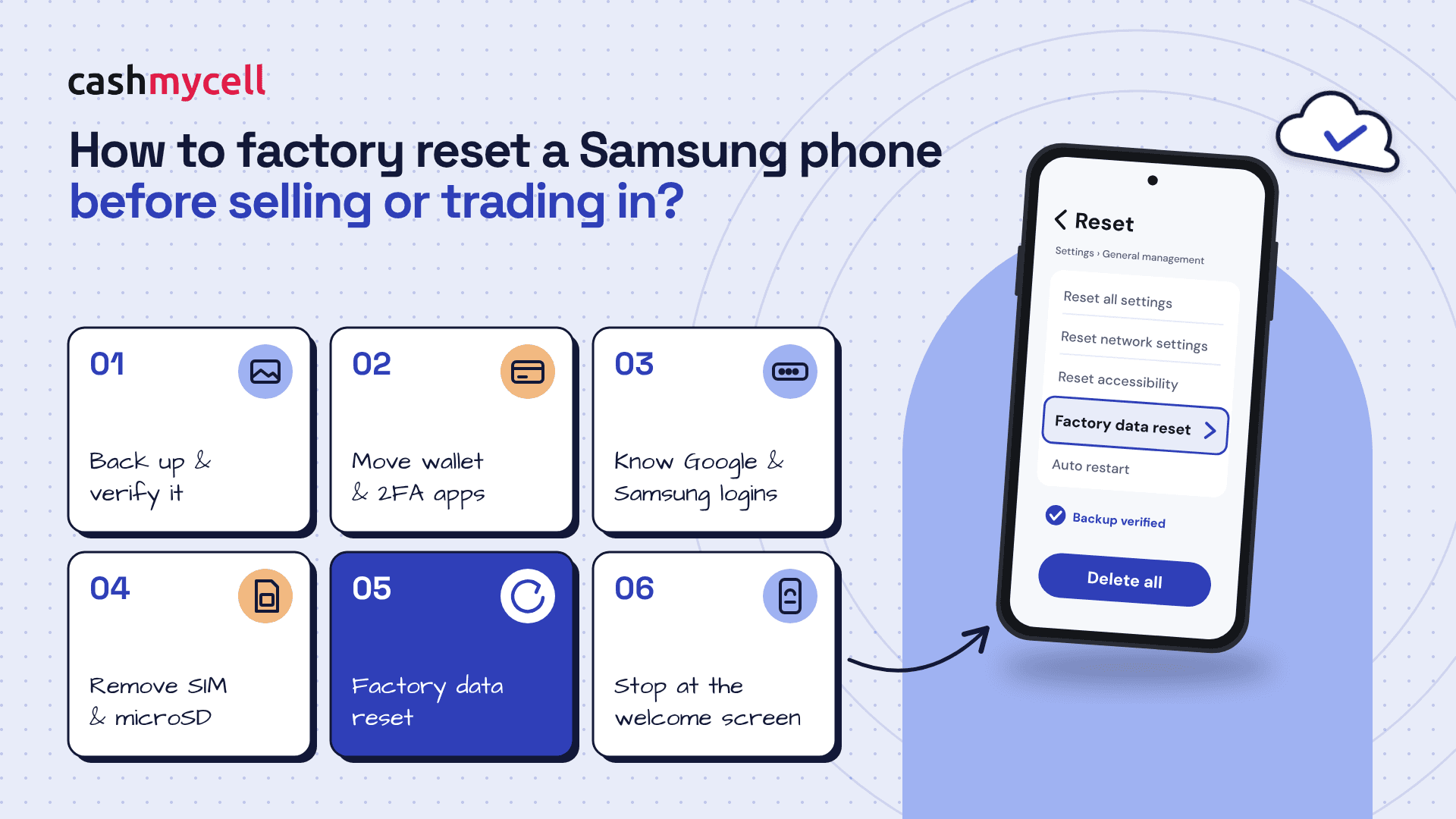
Before you sell, gift, recycle, or trade in your Galaxy device, a factory reset helps remove your personal data and return the phone to its out-of-box setup screen. This guide explains how to factory reset a Samsung phone before selling or trading in, plus the steps you should take first so you do not lose photos, contacts, passwords, or access to your accounts.
Why should you reset a Samsung phone before handing it over?
You should reset a Samsung phone before handing it over because the next owner should not receive your messages, apps, photos, wallet details, or signed-in accounts. Before you wipe the device, compare cash offers from verified Samsung buyers and check what your phone is worth and once the reset is done, buyers will inspect the hardware and lock in their final quote. Samsung's trade-in terms also place responsibility on the owner to back up wanted files, remove personal data, remove locks, and take out SIM or memory cards before sending in a device. (samsung.com)
A factory reset Samsung process is not the first step, though. Think of it as the final clean break after you have saved what matters and removed anything that could keep the phone tied to you.
Do these things before the factory reset
A reset deletes data stored on the phone, so slow down before you tap “Delete all.” Use this quick checklist:
- Back up your data. Save photos, videos, contacts, notes, documents, and app data to your preferred backup location.
- Transfer to your new phone first. If you are upgrading, confirm your new device has what you need before wiping the old one.
- Remove accounts if required. Sign out of Samsung, Google, work, school, and other accounts that may trigger account locks.
- Turn off screen locks where appropriate. Trade-in programs often require anti-theft locks and protection features to be disabled.
- Remove physical items. Take out the SIM card, microSD card, case, and accessories unless your trade-in instructions say otherwise.
- Charge the phone. A reset can take several minutes, so start with enough battery or keep the phone plugged in.
Samsung notes that a network connection may be needed to log out of a Samsung account, and if a Samsung account is still signed in, you may be asked for that account password during reset. (samsung.com)
How to factory reset Samsung phone from Settings
The simplest way to factory reset Samsung phone models is through the Settings app. Menu labels can vary slightly by model and software version, but the typical path is straightforward:
- Open Settings.
- Tap General management.
- Tap Reset.
- Choose Factory data reset.
- Review the information on screen so you understand what will be erased.
- Tap Reset.
- Enter your PIN, password, pattern, or account password if prompted.
- Tap Delete all and wait for the phone to restart.
Samsung’s support guidance says the phone will restart to the initial setup screen after the reset is complete, which is what you want before selling or trading in the device. (samsung.com)
What should you check after the reset?
After the reset, the phone should show the first setup screen rather than your home screen, apps, or accounts. If you still see personal information, repeat the reset process before handing over the device.
Also check the outside of the phone. Remove the SIM tray card, wipe the device clean, note any damage honestly for a trade-in, and package only what the buyer or trade-in program requested.
Final takeaway
A clean factory reset protects your privacy and helps prevent trade-in delays caused by locked accounts or leftover data. Back everything up, remove accounts and cards, then use Settings to reset Samsung phone models safely before they leave your hands.