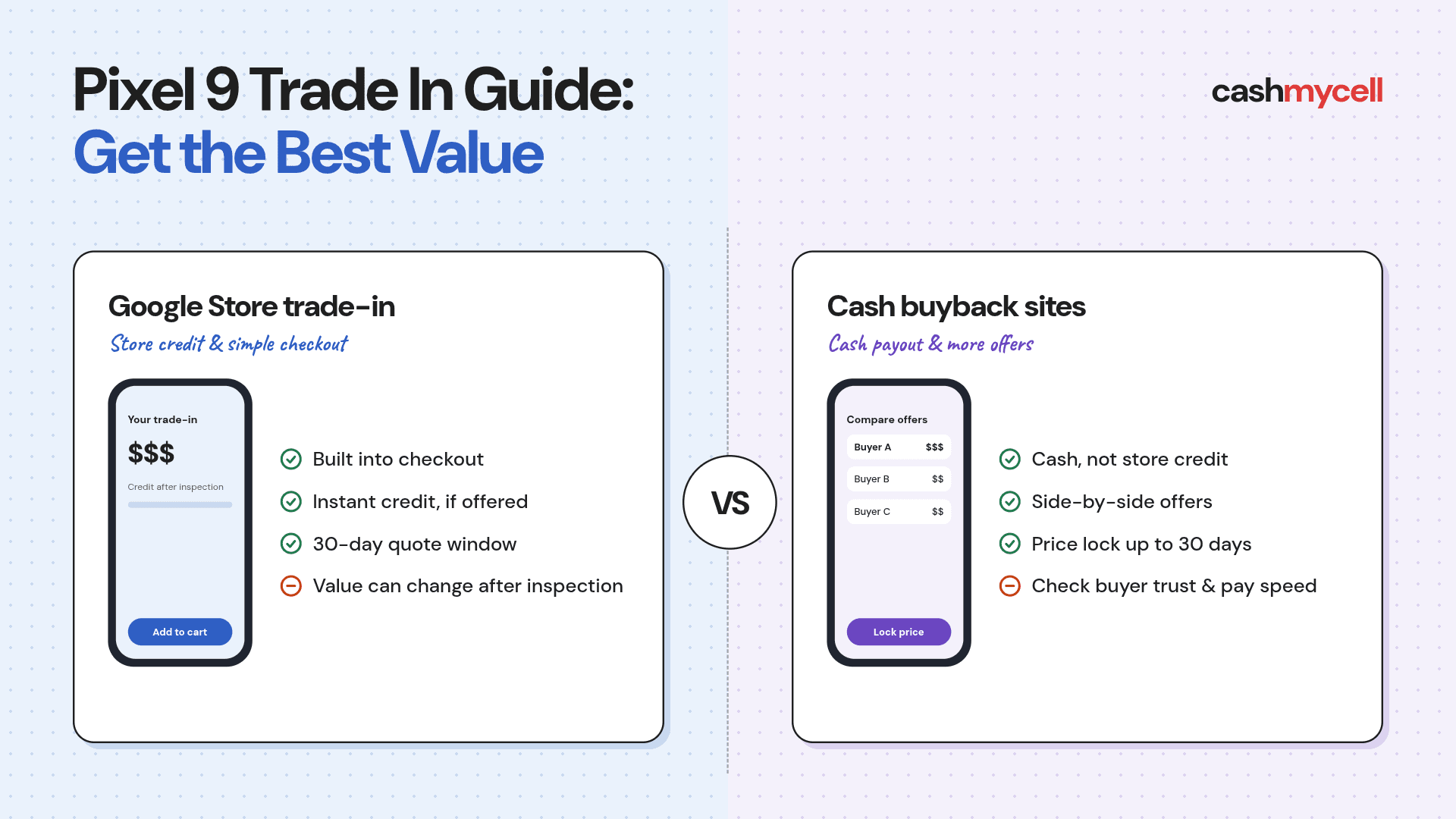
Pixel 9 Trade In Guide: Get the Best Value
Trading in a Pixel can lower the cost of your next phone. The first offer is not always the best one.
A strong Pixel 9 trade in plan depends on timing, condition, storage, carrier status, and payout type. You may want cash, store credit, or an instant discount. This guide shows how to compare offers, keep your quoted value, and avoid mistakes that can cut your payout.
What determines your Pixel 9 trade in value?
Your Pixel 9 trade-in value depends on what a buyer thinks the phone can sell for after inspection, repair, and fees. The same phone can get very different quotes based on storage, carrier lock, cosmetic wear, battery health, screen health, and the promo tied to the trade-in.
Recent data shows why shopping around matters. BankMyCell listed Pixel 9 top offers of $278 for 128GB and $299 for 256GB, while the lowest listed offers were only $5. Average online cash values were far lower. That gap is why you should not take the first quote you see. (bankmycell.com)
A Pixel trade in deal can look bigger when it comes with a promo. Store credit for a new Pixel may beat a cash buyer during a launch window. Cash can be better if you are not buying from that store. The goal is not the biggest number. It is the best value for your plan.
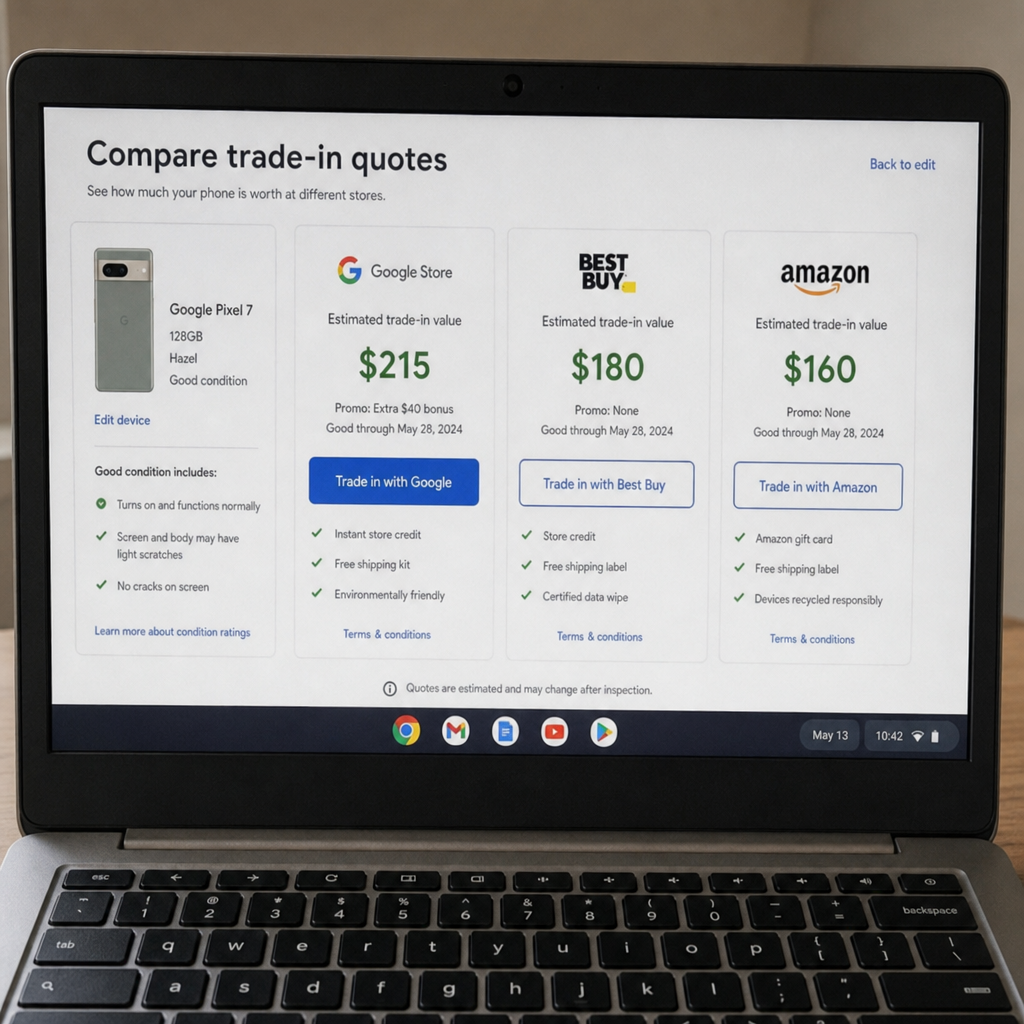
The main value factors buyers look at
Most trade-in forms ask a short list of questions, but each answer can change the final quote. Be honest. If the phone does not match your answers, the inspected value can drop.
Key value drivers include:
- Model and generation: A Pixel 9 usually brings more than a Pixel 6 Pro because it is newer and in higher demand.
- Storage capacity: Higher storage can raise the quote, though not every buyer pays much more for it.
- Carrier status: Unlocked models often get stronger offers than locked phones because they are easier to resell.
- Physical condition: Scratches, cracked glass, bent frames, camera damage, and missing parts can reduce value.
- Functional condition: Buyers check whether the device powers on, charges, holds battery, connects to networks, and has working buttons, speakers, cameras, and face or fingerprint unlock.
- Account locks: A phone that is not factory reset or still tied to an account can be sent back.
- Promo timing: Launch offers, holiday sales, and carrier upgrade campaigns can lift trade-in values.
Condition matters most. BuyBackBear's 2026 study found that good phones kept far more value than cracked or non-working devices. Even small damage can change the offer you get.
Pixel 9, Pixel 8 Pro, Pixel 9a, and Pixel 6 Pro values in context
A newer Pixel is not always the best trade-in asset, but age usually matters. The Pixel 9 sits in a stronger resale spot than older models because it is recent, well known, and useful to buyers who want a modern Google phone without new-phone pricing.
The Pixel 8 Pro trade in value can still be strong because it is a premium model with better hardware than some newer midrange phones. Still, offers vary by buyer and promo. BuyBackBear's live Google buyback page recently listed Pixel 8 Pro up to $261, Pixel 9 up to $288, Pixel 9a up to $219, and Pixel 6 Pro up to $66. That shows how model tier and age can change the ceiling. (buybackbear.com)
For a Pixel 9a trade in, remember that A-series phones start at a lower price than flagships. Offers may be more modest. That does not make the trade-in useless. It just means you should compare cash, store credit, and carrier promos before you choose.
A Pixel 6 Pro trade in is a different case. BankMyCell listed Pixel 6 Pro top offers from $105 for 128GB to $150 for 512GB, with average market values well below those top offers in its September 2026 data. If you own one, the biggest win may come from a promo that boosts older-device value. (bankmycell.com)
Where should you compare Pixel trade in offers?
Compare at least three groups: Google Store or Google Fi, carrier promos, and independent buyback or resale sites. Each one pays differently, and each has trade-offs around speed, payment type, and risk.
Google Store is handy when you are buying another Pixel, because trade-in is built into checkout. Google says standard trade-in credit is given after inspection, while instant trade-in can apply credit up front when available. The estimate is valid for 30 days, so send the device within that window. (store.google.com)
Independent comparison sites can help when you want cash instead of store credit. BankMyCell says it compares offers from verified buyback stores and locks prices for up to 30 days after you accept a quote. Cashmycell also compares live offers from multiple verified phone buyers. (bankmycell.com)
Carrier offers can be great, but read the terms. A carrier may advertise a big trade-in credit that is paid through bill credits, needs a specific plan, or depends on active service. That can be fine if you plan to stay, but less useful if you want freedom.
Quick comparison of trade-in paths
| Trade-in path | Best for | Watch for |
| Google Store | Buying a new Pixel and keeping it simple | Inspection changes, 30-day limit, credit format |
| Google Fi | Pixel buyers who also use or want Fi service | Service-credit terms and offer gaps from Google Store |
| Carrier promotion | High advertised upgrade credits | Bill credits, plan rules, device fit |
| Buyback comparison site | Cash payout and side-by-side offers | Buyer trust, price-lock period, pay speed |
| Peer-to-peer resale | Higher sale price potential | More work, fraud risk, returns, buyer contact |
Google Store trade in terms to know
Google's process is simple, but the details matter. Under Google's U.S. trade-in terms, the final quote is set after the phone is received and inspected, and the trade-in period is 30 calendar days from the day you accept the first quote. Google also notes that a device may be returned or charged back if it is not allowed, fake, or not factory reset. (store.google.com)
Google Store Help also says that if your trade-in credit is more than the cost of the new Pixel, the extra can be given as Google Store credit. If your device is sent more than 30 days after you get the new one, the value may fall because market value changes. (support.google.com)
One detail worth slowing down for is the accept the new value if it changes after inspection option. If you do not choose it and the inspected value changes, Google may send the phone back and charge your payment method for the estimated trade-in value. That can protect you from an automatic cut, but it can also slow the final result if the phone is returned. (support.google.com)
How can you get the best Pixel trade in deal?
You get the best Pixel trade in deal by comparing offers on the same day, locking a strong quote when you can, and preparing the device so it matches the condition you picked. The 20 minutes you spend checking offers can matter more than waiting weeks for a slightly better promo that may never show up.
Use this simple workflow:
- Check the Google Store quote first. This gives you a baseline if you are buying a new Pixel.
- Check at least two cash comparison sites. Compare the exact model, storage, carrier, and condition.
- Look at your carrier only if you can meet the plan terms. A large credit is less valuable if it locks you into a plan you do not want.
- Separate device discount from trade-in value. A store may discount the new phone and offer a lower trade-in, while another may do the opposite.
- Confirm the payout type. Cash, PayPal, check, Zelle, Venmo, direct deposit, bill credit, and store credit are not the same.
- Lock the quote before wiping the phone. Save screenshots of the offer, condition answers, and deadline.
- Ship fast and track everything. Use the label, keep the receipt, and save the tracking number until the credit clears.
Timing can help, but it is hard to predict. New Pixel launches may create higher trade-in promos, while normal resale values often fall as devices age. If you find a strong quote with a 14- to 30-day lock, it may be smarter to secure it than to keep refreshing pages and risk a lower price.
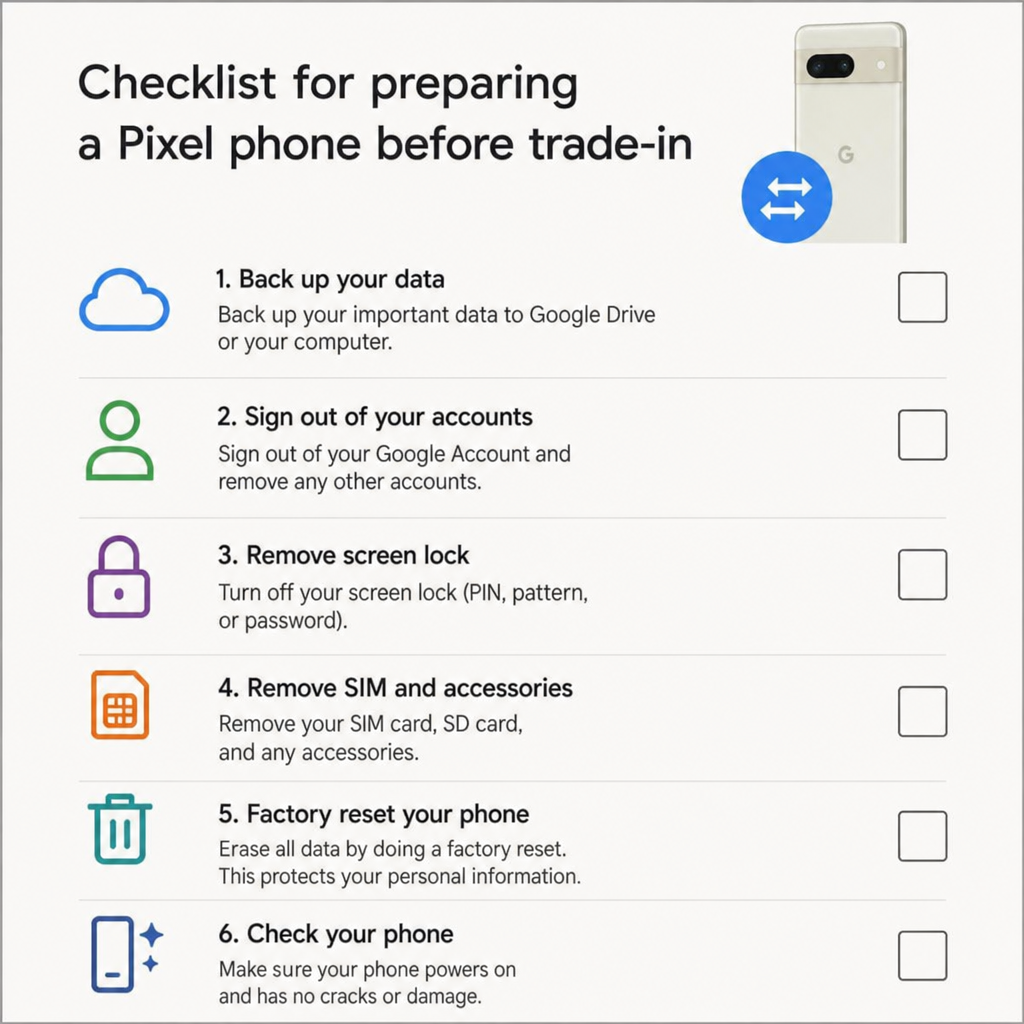
Preparing your Pixel before you ship it
Preparation protects both your value and your data. A phone that arrives locked, dirty, poorly packed, or different from the quoted description is more likely to face delays or value changes.
Before sending your Pixel, complete this checklist:
- Back up your data to Google One, Google Photos, or your own backup method.
- Move your 2-step and banking apps before wiping the old device.
- Remove your Google account and turn off screen locks before factory reset.
- Factory reset the phone and make sure it boots to the setup screen.
- Remove SIM cards, cases, screen protectors, and accessories unless the buyer asks for them.
- Clean the device gently so scratches, cracks, and camera lenses are easy to inspect.
- Photograph the phone from every angle before packing, including the powered-on screen and IMEI page if needed.
- Pack it securely with the approved mailer or a padded box if told to do so.
- Keep proof of shipment until your final payout or credit is complete.
For a Pixel Watch trade in, follow the watch steps from the program you choose. Google's help notes include watch prep steps through the Pixel Watch app, and its trade-in support says trade-in transactions expire six months from the new Google device purchase date. (support.google.com)
Cash, credit, or instant discount: choose the payout that fits
The best payout depends on what you plan to do next. Store credit can be great if you are already buying a Pixel phone, Pixel Watch, earbuds, charger, or other Google hardware. Cash is more flexible if you are switching brands, buying used, or paying down your card balance.
Instant trade-in can feel nice because it cuts the upfront cost at checkout. The trade-off is that the credit still depends on the phone passing inspection. If the device arrives late, fails inspection, or does not match your description, you may get a lower value or a chargeback, depending on the program terms. (store.google.com)
Standard trade-in is slower, but it is easy to follow. You buy the new phone, send the old one, wait for inspection, and then get the approved credit. It may be the better choice if you do not want an upfront credit reversed later.
Common mistakes that reduce Pixel trade-in value
The easiest money to keep is the money you do not lose to avoidable errors. Many trade-in losses come from small gaps between the quote and the inspected phone.
Avoid these mistakes:
- Calling a phone good when the back glass is cracked.
- Forgetting to remove a Google account before factory reset.
- Missing the shipment deadline by waiting for accessories or a new case.
- Choosing store credit when you need cash.
- Ignoring carrier lock status or selecting the wrong storage size.
- Mailing the phone without photos, tracking, or proof of condition.
- Comparing a carrier promo to a cash offer without counting plan rules.
Also be realistic about older phones. A Pixel 6 Pro trade in may still be worth doing, but it may not return as much as a newer Pixel 9 or Pixel 8 Pro unless there is a focused promo. Likewise, a Pixel 9a trade in may be useful, but it should be judged against its lower launch price and current demand.
The smartest trade in strategy
The best Pixel trade in plan is simple: compare widely, document everything, and pick the offer that matches how you want to be paid. A strong Pixel 9 trade in is not just about the highest headline number. It is about a quote that survives inspection, arrives on time, and gives you value you can use.
If you plan to upgrade, check Google Store, your carrier, and a buyback comparison site simultaneously. Then lock the best real offer, prepare your phone carefully, and ship it fast. That gives you the best shot at turning your old Pixel into the highest practical return.
Q&A
Question: Is the highest Pixel trade in quote always the best choice?
Short answer: Not always. The best offer is the one with the most useful value after you weigh payout type, inspection risk, timing, and program terms. A carrier credit may look bigger than a cash offer, but it may need a specific plan or pay out slowly through bill credits. Store credit can be great if you are buying from that store, while cash is more flexible if you want to switch brands, buy used, or pay another bill.
Question: Why should I compare Pixel 9 trade in offers on the same day?
Short answer: Trade-in values can change as demand, promos, and resale prices shift. Comparing Google Store, carrier, and buyback offers on the same day gives you a clearer side-by-side view of the real options at that moment. If a strong quote includes a 14- to 30-day lock, taking it fast can help protect you from later price drops.
Question: What should I do if my phone's inspected value is lower than the first quote?
Short answer: Your options depend on the program and the setting you chose when you accepted the quote. With Google Store, the final value is set after inspection, and the accept the new value if it changes after inspection option matters. If you do not allow the lower value to be accepted at once, the phone may be sent back and your payment method may be charged for the estimated trade-in value. Photos, saved screenshots, honest condition notes, and on-time shipping can lower the chance of a fight.
Question: Is it better to trade in an older Pixel like the Pixel 6 Pro or keep it?
Short answer: It depends on the current offer and whether a promo raises the value. Standard resale prices for older phones are often lower than for newer models like the Pixel 9 or Pixel 8 Pro, but focused carrier or store promos can make an older Pixel worth trading in. If the offer is low, compare cash buyers, store credit, and carrier deals before you decide to trade it, keep it as a backup, or sell it another way.