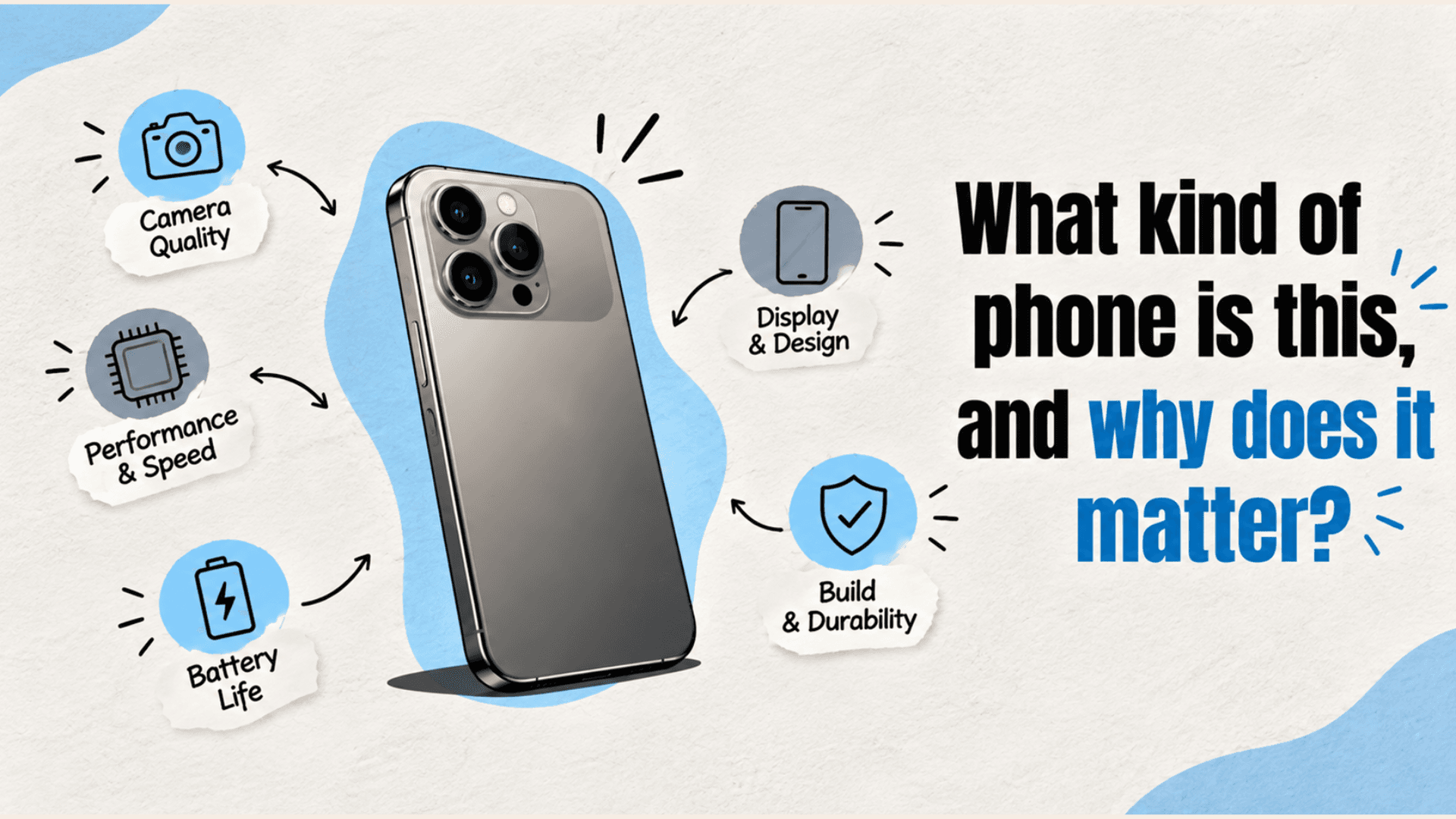
If you have ever asked, “what kind of phone is this?” you are really asking about several things at once: the brand, the phone model, the operating system, the hardware generation, and the features it supports. Knowing those details helps you buy the right accessories, check software updates, estimate resale value, confirm carrier compatibility, and understand whether performance issues are normal for that device.
A phone may look similar to several other models, especially within the same product family. Two devices can share a design but have different chipsets, cameras, storage options, or network bands. That is why guessing from the outside is not always enough. The safest approach is to confirm the exact model in the phone’s settings, on the box, or through the device’s identification details.
The basics every phone owner should know
Before diving into numbers and technical language, it helps to understand the core categories that describe a phone. These details are the foundation of most product pages and tech reviews, and they explain why one device feels fast, lasts longer, or takes better photos than another.
The most useful basics include:
- Brand and phone model: The manufacturer and exact model name or number.
- Operating system: Usually Android or iOS, including the version currently installed.
- Processor or chipset: The main component that affects speed and efficiency.
- Memory and storage: RAM helps with multitasking, while storage holds apps, photos, videos, and files.
- Display: Screen size, resolution, panel type, brightness, and refresh rate.
- Battery: Capacity, charging speed, and real-world endurance.
- Camera system: Lens types, sensor quality, video options, and image processing.
- Network support: 4G, 5G, Wi-Fi, Bluetooth, GPS, and carrier compatibility.
- Build and durability: Materials, water resistance, drop protection, and repairability.
These categories do not all matter equally to every person. A mobile gamer may care most about the processor, cooling, and display refresh rate. A frequent traveler may focus on battery life, dual SIM support, and network compatibility. Someone who mostly texts, browses, and takes casual photos may be better served by a balanced phone rather than the most expensive flagship.
Finding your exact phone model
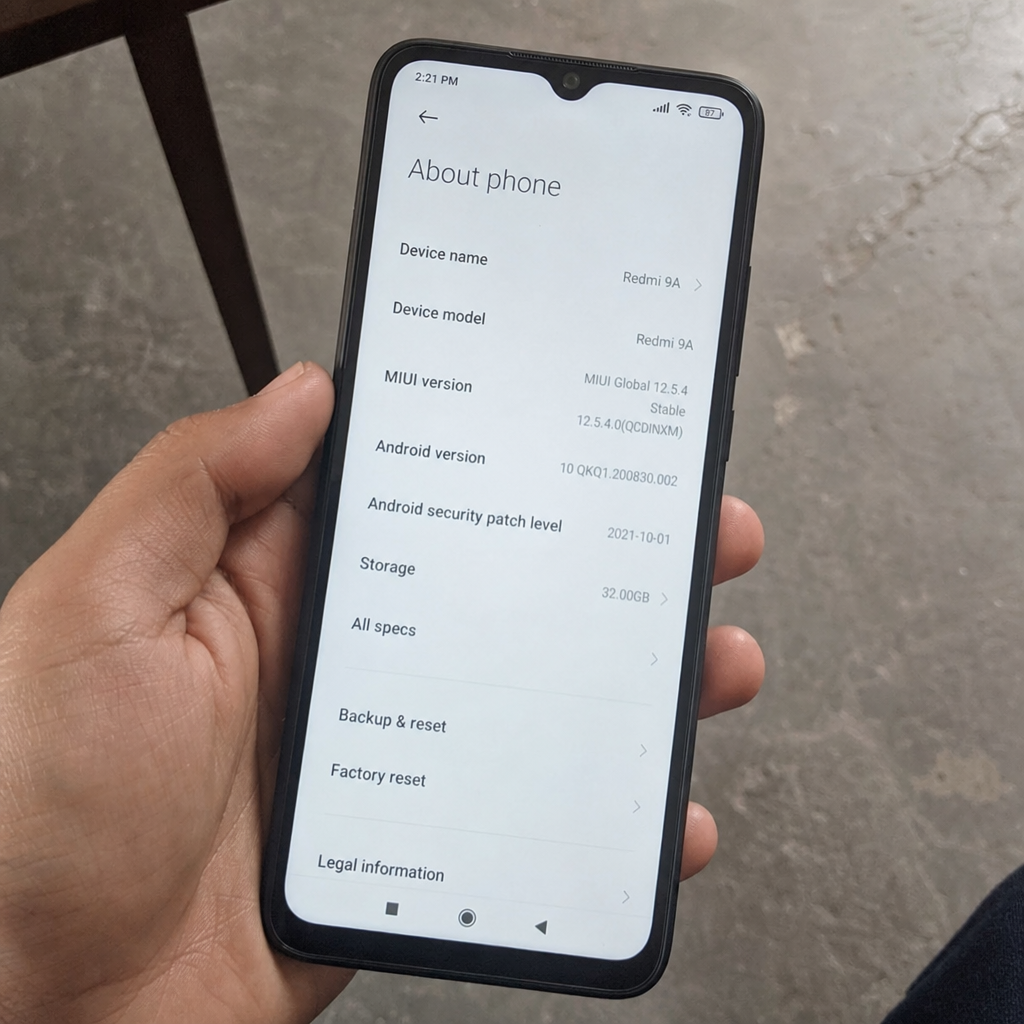
The easiest way to identify your device is through the settings menu. On most phones, the model information appears under a section such as About phone, About device, or General > About. This page may show the phone model, model number, serial number, software version, storage capacity, and sometimes the regulatory name.
If you are still wondering “what type of phone is this?” after checking settings, look for the original box, receipt, carrier account, or manufacturer account linked to the phone. Some devices also have model numbers printed on the SIM tray, back panel, or inside the case area, though many modern phones keep this information mostly digital.
Use this quick checklist:
- Open settings and find the About section.
- Write down the model name and model number, not just the brand.
- Check the storage capacity, especially if selling or trading in the device.
- Confirm the operating system version to see whether updates may be available.
- Compare the model number with official support pages or reputable tech reviews if you need detailed phone specs.
The model number is especially important. For example, a phone sold in one region may have different cellular bands or SIM features than a version sold elsewhere. Accessories, replacement parts, and firmware can also vary by model number, so precision matters.
Phone types and how they differ
Phone types are often described by price, operating system, design, or purpose. Understanding these categories helps you interpret marketing claims and choose features that match your actual use.
Budget phones
Budget phones focus on essential features at a lower cost. They usually handle calls, messages, social media, web browsing, video streaming, and simple photography well enough for everyday use. To keep prices down, they may use less powerful processors, simpler camera systems, plastic builds, lower brightness screens, or slower charging.
A budget phone is often a smart choice for light users, students, backup devices, or anyone who does not need premium performance. The key is to check storage, software support, and battery life carefully, because those areas affect long-term satisfaction.
Mid-range phones
Mid-range phones aim for balance. They often bring strong displays, capable cameras, good battery life, and smooth performance without the cost of top-tier models. Many people find this category the best value because the experience can feel close to premium for common tasks.
When comparing mid-range phone specs, pay attention to trade-offs. One model may have a better screen but weaker camera. Another may offer faster charging but less durable materials. The best choice depends on which features you will notice every day.
Flagship phones
Flagship phones represent a brand’s most advanced consumer features. They usually include powerful chipsets, high-quality displays, advanced camera systems, premium materials, faster wireless connections, and longer software support. They are built for users who want the best overall experience or need demanding features for work, photography, gaming, or content creation.
The downside is cost. A flagship phone may be impressive, but not every feature will matter to every user. Before buying, ask whether the premium camera, display, or processor will genuinely improve how you use your phone.
Foldables and specialty devices
Foldable phones, rugged phones, gaming phones, and stylus-focused devices serve more specific needs. Foldables offer larger screens in pocketable designs. Rugged phones prioritize durability. Gaming phones may include high-refresh displays, extra cooling, large batteries, and performance-focused controls.
These phone types can be excellent for the right person, but they are not automatically better. Their designs may involve compromises in weight, thickness, camera quality, price, or repair complexity.
What do phone specs actually tell you?
Phone specs tell you what hardware and features a device includes, but they do not always predict the full experience. A large battery does not guarantee long battery life if the processor or display uses power inefficiently. A high-megapixel camera does not automatically take better photos if the sensor, lens, and image processing are weak.
Think of specs as clues, not the whole story. They help you narrow choices and understand capabilities, but real-world performance depends on how the parts work together. This is why detailed tech reviews can be useful: they translate numbers into practical observations about speed, heat, photo quality, battery life, and comfort.
Here are some specs worth understanding:
- Processor: Affects app launch speed, gaming, camera processing, and overall responsiveness.
- RAM: Helps the phone keep apps open and switch between them smoothly.
- Storage: Determines how much space you have for apps, photos, videos, downloads, and system files.
- Refresh rate: A higher refresh rate can make scrolling and animations look smoother.
- Resolution: Higher resolution can make text and images sharper, though screen quality also depends on brightness and color.
- Battery capacity: Useful, but best judged alongside charging speed and efficiency.
- Camera aperture and sensor size: Often more meaningful than megapixels alone.
- Water resistance rating: Indicates tested protection levels, but not a guarantee against all water damage.
- Network bands: Important for carrier support, travel, and 5G access.
A practical way to read specifications is to connect each number to a use case. If you record lots of video, storage and camera stabilization matter. If you commute or travel often, battery life, brightness, and network support matter. If you keep phones for years, software updates and durability matter.
Reading tech reviews with a sharper eye
Tech reviews are most helpful when you know what you are looking for. A good review does not just repeat a spec sheet; it explains how the phone behaves in real use. It may discuss whether the device overheats, whether the camera is reliable in low light, whether the battery lasts through a normal day, and whether the software feels clean or cluttered.
When reading or watching reviews, look for:
- Testing context: Was the phone used for days or only briefly handled?
- Real examples: Are there camera samples, battery notes, gaming impressions, or software observations?
- Comparison points: Is the phone compared with similar models in the same price range?
- Long-term concerns: Does the reviewer mention updates, durability, repairability, or storage limits?
- Bias signals: Is the review overly vague, purely promotional, or missing obvious drawbacks?
It is also smart to read more than one review. Different reviewers value different things, and your priorities may not match theirs. A creator who cares about video quality may judge a phone differently from someone who focuses on battery life or value.
Matching features to your real needs
The best phone is not always the one with the longest spec sheet. It is the one that fits how you actually live. Before upgrading, identify the pain points in your current device. Is it slow? Does the battery die too quickly? Are photos disappointing? Is storage always full? Do calls drop in certain places?
Use those pain points to guide your next choice:
- If your phone feels slow: Prioritize a stronger processor, enough RAM, and clean software.
- If storage is full: Choose more internal storage, especially if there is no memory card slot.
- If battery life is poor: Look for proven endurance, efficient hardware, and charging options that suit your routine.
- If photos matter: Study camera samples, low-light performance, stabilization, and lens variety.
- If you work from your phone: Consider display quality, keyboard comfort, security features, and update support.
- If you travel: Check SIM options, international bands, durability, and fast charging.
This approach keeps you from paying for features you will rarely use. A phone can be technically powerful and still be the wrong fit if it ignores your daily habits.
Your upgrade decision can also benefit from looking at resale value. A phone that fits your needs today may still hold its value differently from another model over time, depending on demand, new releases, and depreciation. Cashmycell’s depreciation calculator helps you understand current resale values and track how smartphone values change over time.
Common mistakes when comparing phones
One common mistake is comparing only one number, such as megapixels, battery size, or storage. These details matter, but they need context. A phone with a smaller battery may last longer than another if it has a more efficient processor and display.
Another mistake is overlooking the exact phone model. If you search “what phone is this” and stop at the brand name, you may miss important differences between generations or regional variants. Always confirm the full model name or number before buying cases, screen protectors, chargers, or replacement parts.
A third mistake is assuming newer always means better for your needs. A newer phone may improve performance or cameras, but it may also remove a feature you value, such as a headphone jack, expandable storage, compact size, or physical SIM slot. Specs should support your priorities, not distract from them.
A simple way to evaluate any phone
When you want to understand a device quickly, use a balanced review process instead of getting lost in technical details.
Start with these five questions:
- What phone model is it exactly? Confirm the model name, model number, storage size, and region if relevant.
- What does it need to do well? List your top three uses, such as photos, gaming, work, travel, or basic communication.
- Which specs support those uses? Connect features to outcomes instead of chasing the biggest numbers.
- What do reliable tech reviews say? Look for real-world notes about performance, battery, cameras, and software.
- What compromises are acceptable? Every phone has trade-offs, so decide which ones you can live with.
This simple framework works whether you are identifying an old device, helping a family member choose a phone, or comparing several new options.
Final takeaway
Understanding your phone’s specifications and features gives you more control. You can identify your device, choose better accessories, compare upgrades intelligently, and avoid being misled by impressive-sounding numbers. The next time you ask “what kind of phone is this” or “what type of phone is this,” go beyond the logo: find the exact model, read the key phone specs in context, and match the features to the way you actually use your phone.
For more insights on smartphone value, resale trends, and what your device could be worth over time, explore Cashmycell.