Yes, an Android phone can help track an iPhone, but usually through a browser or a shared location service rather than a native Apple app. Apple’s Find My app is not built for Android, but iCloud.com/find can show the approximate location of a supported Apple device when Find My was already set up and the device can be located. Apple also notes that if a device cannot be located, Find Devices may show it as offline and display the last known location for up to 24 hours. (support.apple.com)
That means the real answer to “can an Android phone track an iPhone” depends on preparation. If Find My was enabled before the phone went missing, your Android browser can become your recovery tool. If Find My was not enabled, you may still have a few clues through Google Maps Timeline, carrier records, family location sharing, or physical search steps, but you should not expect a live Apple location map.
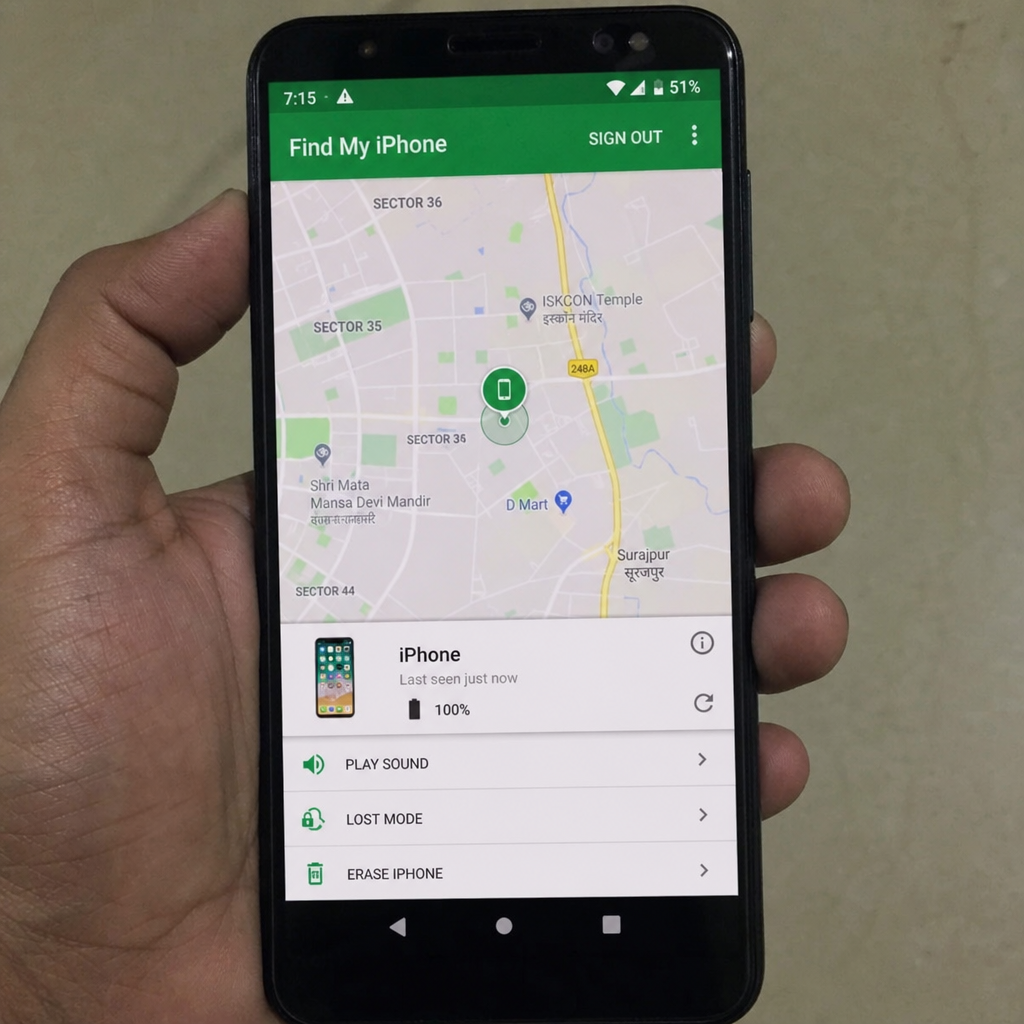
Use iCloud Find Devices from your Android browser
The most reliable free method is to use Find Devices on iCloud.com. This is what many people mean when they search for “find my iphone from my android” or “find my iphone using android.” You are not installing an Apple tracker on Android; you are securely accessing Apple’s web-based Find Devices tool.
Here is the basic process:
- Open a private or incognito browser tab on the Android phone, especially if it belongs to someone else.
- Go to iCloud Find Devices and sign in with the Apple Account connected to the missing iPhone.
- Choose the missing iPhone from the device list.
- Check the map for its current or last known location.
- If it appears nearby, use Play Sound if available.
- If it may be lost in public, turn on Lost Mode.
- If you believe it is stolen or cannot be recovered, consider a remote erase only after thinking through the consequences.
Apple’s support guidance says Find Devices on iCloud.com can locate supported Apple devices and that Find My must already be set up on the device. The same guidance says you can sign in at iCloud.com/find and select the device you want to locate from the device list. (support.apple.com)
A quick note about two-factor authentication: if Apple asks for a verification code, look for options on the Find Devices page that let you continue to Find Devices without entering the code. Apple’s own iCloud guidance notes this route for Find Devices sign-in, which is useful when the trusted device is the missing iPhone itself. (support.apple.com)
What you can do after the iPhone appears
Once the iPhone is visible on the map, slow down before tapping every option. The right move depends on where the phone appears, whether it is moving, and whether you think it is simply misplaced or in someone else’s hands.
If the map shows the iPhone inside your home, workplace, car, or another safe location, try playing a sound and searching carefully. Look under seats, inside bags, between couch cushions, near chargers, and anywhere the phone may have slipped out of sight. If it shows a public place you recently visited, call the location before traveling there.
If the phone appears somewhere unfamiliar, use Lost Mode. Apple says Lost Mode locks the device so others cannot access personal information, lets you create a message with contact information, and can show the current location and changes in location for iPhone, iPad, and Apple Watch. Apple also notes that applicable payment cards and services are suspended when Lost Mode is used. (support.apple.com)
Use this quick decision checklist:
- Phone is nearby: Play a sound, retrace your steps, and search calmly.
- Phone is at a business: Call the business and ask about lost and found before going there.
- Phone is at an unknown private address: Do not confront anyone. Save the information and contact local authorities if needed.
- Phone is moving: Turn on Lost Mode and avoid chasing it yourself.
- Phone contains sensitive information: Consider changing important passwords and reviewing accounts.
- Phone is unrecoverable: Remote erase may be appropriate, but understand that it removes your content.
Remote erase should be treated as a last-resort security action, not a first recovery step. Apple says you can erase a lost iPhone through Find Devices on iCloud.com, and if the device is offline, the erase begins the next time it comes online. (support.apple.com)
Also, if you decide that it is time to replace the missing or recovered iPhone, check its resale value before upgrading. Cashmycell’s iPhone resale value tool can help you estimate what your device is worth today and understand how its value may change over time.
How to track an iPhone from Android for free?
You can track an iPhone from Android for free by using iCloud Find Devices in a web browser, provided Find My was enabled before the phone was lost. There is no need to pay for a random “phone finder” app to access Apple’s basic lost-device tools. For most people wondering how to track an iphone for free, iCloud.com/find is the safest starting point because it is Apple’s official web option.
Free does not mean unlimited, though. Find Devices cannot magically locate an iPhone that was never added to Find My, has no usable location signal, or has not connected recently. The map may show an approximate location rather than a pinpoint location, and an offline phone may only show a last known location for a limited time. (support.apple.com)
Be careful with third-party websites that promise instant tracking by phone number, IMEI, or email address. Many are designed to collect logins, payments, or personal details rather than recover a device. If a site asks for your Apple password and is not Apple’s own sign-in flow, leave immediately and change your password if you already entered it.
Google Maps Timeline may offer helpful clues
If you used Google Maps on the iPhone and had Timeline or Location History enabled, your Android phone may help you review recent movements. This is not the same as Apple Find My, and it may not provide a live location. Still, it can help you remember where you went before the iPhone disappeared.
Google explains that when Timeline is on, Google Maps Timeline can show where and how you traveled, including walking, driving, biking, or public transportation. On Android, Google’s instructions say to open Google Maps, tap your profile picture or initial, choose Your Timeline, and select a day or month to review. (support.google.com)
Use Timeline as a memory aid:
- Check the last places you visited before the phone went missing.
- Look for stops that you forgot, such as a gas station, café, rideshare drop-off, gym, or store.
- Compare the Timeline with receipts, photos, messages, or calendar events.
- Call locations in the order you visited them.
- Ask a friend to help you search if you may have left the iPhone in a car, office, or shared space.
Because Timeline depends on your Google Account settings and available data, it should be treated as a backup clue, not a guaranteed tracking method. Google also notes that even if Timeline is turned off or data is deleted, other Google settings may still store some location-related activity depending on your account configuration. (support.google.com)
Family sharing and location sharing options
If your location was already shared with a family member or trusted contact, ask that person to check their device. Some iPhone users share location through Apple’s Find My network with family, while others rely on Google Maps location sharing. The key phrase is “already shared.” You usually cannot create a new sharing connection after the phone is lost unless you still have access to the iPhone or the relevant account session.
This is also where consent matters. Learning how to track an iphone should never mean tracking another person secretly. Use these tools only for your own device, a device you manage for a child or family member with proper permission, or a phone whose owner has asked for help.
If you are helping someone else, let them sign in themselves on the Android phone. Use a private browser tab, do not save their password, and sign out when finished. If the Android phone is borrowed, clear the browser tab after the search so the Apple Account is not left exposed.
What to do if Find My was not turned on
If Find My was not enabled, Apple’s official location tools will be limited. You may still be able to protect yourself and improve your chances of recovery, but you should shift from live tracking to account security and practical searching.
Start with these steps:
- Call the iPhone. Someone honest may answer, or you may hear it ring nearby.
- Send a message. Include a safe return contact method, but do not share sensitive details.
- Check Google Maps Timeline. Review recent stops if it was enabled.
- Contact places you visited. Ask about lost and found and provide a simple description.
- Change important passwords. Prioritize email, banking, Apple Account, and password manager accounts.
- Contact your carrier. Ask about suspending the SIM or eSIM to reduce misuse.
- Report theft if appropriate. Provide serial number, IMEI, and location clues to authorities.
Do not remove the device from your Apple Account too quickly if you still hope to recover it. Apple’s iCloud guidance explains that removing a device can remove Activation Lock in some circumstances, allowing someone else to activate it. (support.apple.com)
Safety and privacy come first
A location on a map can feel urgent, especially when an expensive phone is involved. Still, your safety matters more than the device. If the iPhone appears at an unfamiliar home, apartment building, or moving vehicle, do not go alone or confront anyone. Save screenshots, note times, and contact local law enforcement if you believe it was stolen.
Protect your digital life while you search. Change passwords from a trusted device, review account recovery options, and watch for phishing texts or emails claiming someone has found your iPhone. Scammers may use panic to push you into entering your Apple Account details on fake pages.
For the future, make sure Find My is enabled, your Apple Account recovery information is current, and your passcode is strong. It is also wise to keep regular backups so a lost phone does not become a lost photo library, document folder, or contact list.
The practical takeaway
The best way to locate an iPhone from Android is to use Apple’s official Find Devices website through your Android browser. If Find My was already enabled, you may be able to view the iPhone on a map, play a sound, turn on Lost Mode, or erase it if recovery is no longer realistic.
If that route fails, Google Maps Timeline, shared location tools, calls to recent locations, and account-security steps can still help. Start with the official free method, avoid suspicious tracking sites, and remember that recovering the phone is important—but protecting your safety and personal data is even more important.
For more insights on iPhone resale values, depreciation, and when to sell your device, explore Cashmycell articles.