Siri AI is much better than the old command-based Siri for people inside Apple's world. It can see your screen, use your apps, and keep more context in mind. It is not just a smarter voice trigger for timers and texts. It is Apple's attempt to turn Siri into a natural, context-aware ai voice assistant. This guide answers how good is Siri AI for Apple users. The short answer: Siri AI looks strong for daily device control and personal tasks, but it still needs real-world tests before it can be called the best AI assistant overall.
Is Siri AI actually good?
Yes, Siri AI is good if you want practical help on iPhone, iPad, Mac, Apple Watch, Vision Pro, and Apple apps. Apple says Siri AI is a beta assistant powered by Apple Intelligence. It can hold natural conversations, use personal context, read onscreen content, answer with web data, and take app actions. That is a big step beyond old Siri. (apple.com) Still, how good is Siri AI depends on the job. It is most useful when it can lean on Apple's tight hardware, software, and privacy design. For broader brainstorming, deep research, smart home control, or shopping, ChatGPT Voice, Gemini, or Alexa+ may still feel better for some users. The main change is simple: Siri AI is meant to do more than answer one command at a time. You can ask follow-up questions, refer to what is on screen, and move across apps. That makes siri ai performance less about one perfect reply and more about whether it can understand the moment and finish the task. The current version should still be judged with care. Apple describes Siri AI as beta on iOS 27, iPadOS 27, macOS 27, watchOS 27, and visionOS 27. It starts in English, and some server-based features may have usage limits. So results can vary by device, language, region, request type, and rollout. (support.apple.com)
What makes Siri AI different from old Siri
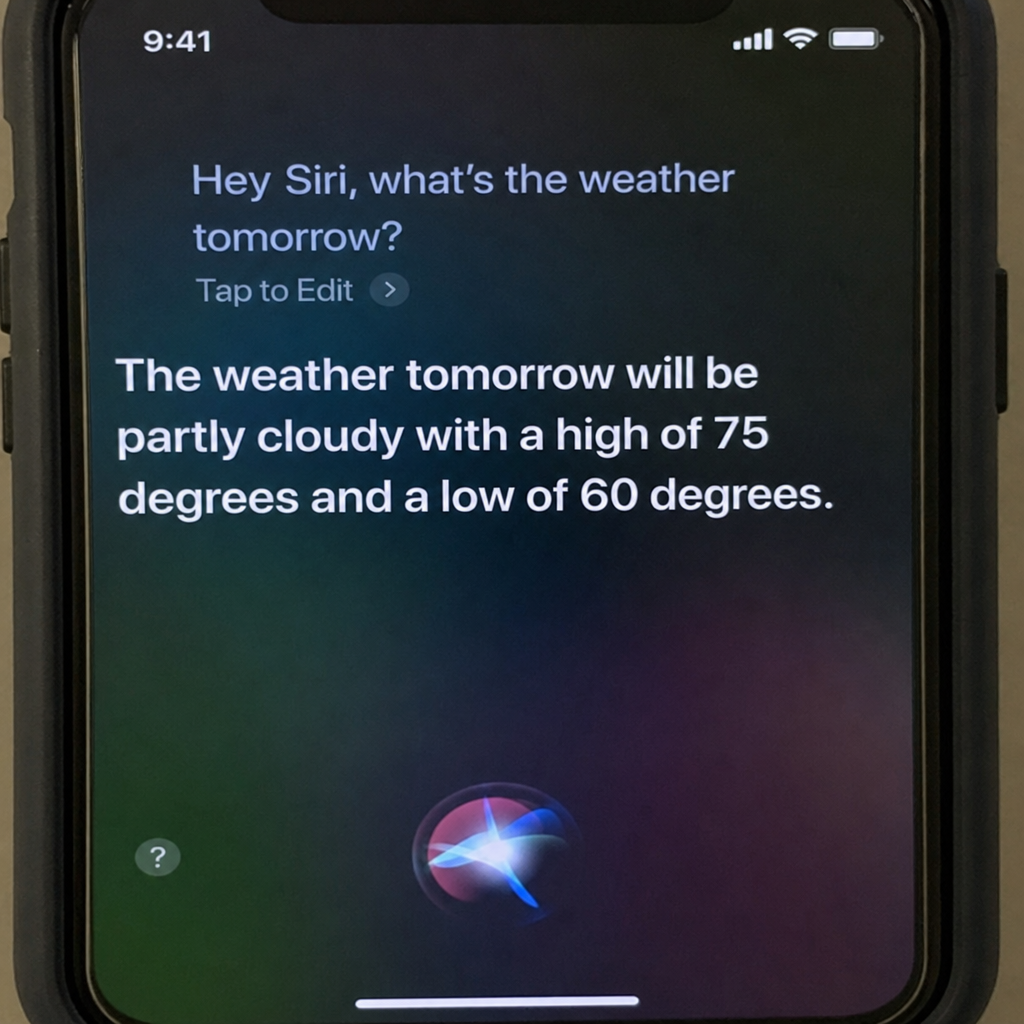
Old Siri was helpful, but narrow. It worked best when you used the right phrase: call this person, start a timer, send a text, play a song, turn on a light. Once the request got layered, vague, or multi-step, Siri often felt more like a shortcut than an assistant. Siri AI changes that promise. Apple says the new assistant can use personal context from messages, email, photos, notes, and supported third-party apps. It can answer questions about what is on your screen and use web information for current answers. Apple also says it can take systemwide app actions, such as drafting an email or editing and sharing photos. That moves it closer to a true AI agent inside Apple's operating systems. (apple.com) That matters because voice tools are most useful when they remove steps. If Siri AI can find a restaurant a friend sent last month and add it to your trip note, that is much better than opening Messages, searching, copying, and switching apps.
The strongest part of Siri AI is ecosystem awareness
Siri AI's biggest strength is not chat. Many tools can chat. Its strength is that it lives inside Apple devices and can use the context around you. On iPhone, Siri AI can be used with Hey Siri, the side button, or a swipe from Dynamic Island. On iPad and Mac, Apple says it is built into Spotlight and context menus. That means users can ask about images, files, text, and other onscreen content. It brings AI closer to the task instead of making users copy, paste, or upload everything by hand. (apple.com) This is where Siri AI may feel most useful day to day. You might ask it to summarize an email, pull details from a photo, or turn a message about dinner into a Calendar event. These are small jobs, but they save time. The catch is app support. Apple says personal context can extend to third-party apps when developers use Spotlight. Apple’s developer tools also include App Intents, entity schemas, and onscreen annotations. If app makers use those tools well, Siri AI could work across many apps. If they do not, the experience may feel great in Apple apps and weaker elsewhere. (developer.apple.com)
Siri AI performance in everyday tasks
For routine tasks, Siri AI should be much better than legacy Siri. It is built for natural back-and-forth talk, better answers, personal search, and app actions. A good everyday assistant needs to understand the user, know the context, and finish the task with little friction.
Here is where Siri AI looks strongest:
- Personal search: Find a message, email, note, photo, confirmation number, or clue you only half remember.
- Onscreen help: Ask about text, an image, a file, or content inside an app.
- App actions: Draft, edit, save, share, add, or organize without jumping through many screens.
- Device help: Learn settings, features, and actions inside Apple products.
- Quick creative work: Brainstorm a message, plan a simple event, or clean up a rough note.
The real test is not whether Siri AI can impress you once. It is whether you keep using it after the novelty fades. If it saves 30 seconds ten times a day, that beats a flashy assistant that never fits your workflow. That said, users should still be careful. Like any AI tool, Siri AI can miss intent, miss context, or sound confident while being wrong. Apple emphasizes web data and broad knowledge, but you should still check medical, financial, legal, and travel details before acting on them.
How does Siri AI compare with ChatGPT, Gemini, and Alexa+?
Siri AI is strong as an Apple assistant, but it is not the best choice for every task. In an ai assistant comparison, Siri AI's key strengths are Apple device integration, personal context, onscreen awareness, and a privacy-first design. ChatGPT Voice is better for open-ended conversation and multimodal discussion. Gemini is tightly tied to Android and Google services. Alexa+ is built for the home, shopping, entertainment, and household tasks. ChatGPT Voice is made for natural talk inside ChatGPT. OpenAI says its Live mode can listen and speak at the same time, handle interruptions, use web search and memory when available, and work with text and images in one chat. That makes it great for brainstorming, tutoring, explanations, and long sessions. But it does not have the same built-in access to iPhone system actions that Siri AI is designed for. (help.openai.com) Gemini has a different edge: it is becoming the built-in AI assistant on Android. Google says it can use voice, images, camera input, and on-screen help, with Hey Google or touch activation even while another app is open. For Android users, that makes Gemini the closest match to Siri AI. (support.google.com) Alexa+ is strongest in the home. Amazon says Alexa+ works by voice, browser, Alexa devices, and the Alexa app. It can help with smart home control, shopping, reservations, ride booking, family tasks, and entertainment. In the U.S., Amazon says it is included for Prime members and available as a paid tier for others. (aboutamazon.com) So the better question is not Which AI assistant wins? It is Where do you want the assistant to live? If you want help on iPhone, iPad, Mac, Apple Watch, or Apple Vision Pro, Siri AI has the edge. If you want deep conversation, ChatGPT may feel better. If you live on Android, Gemini may fit better. If your home runs on Echo devices, Alexa+ may be the best fit.
Siri AI's privacy angle is a real advantage
Apple's AI plan depends on trust. Siri AI is built around Apple Intelligence, and Apple presents it as personal, contextual, and privacy-focused. That matters because the assistant may need access to messages, email, photos, reminders, location context, screen content, and app activity. For many people, that is both useful and uncomfortable. The upside is clear: the assistant can connect details and act without long explanations. The downside is also clear: people will not use it if they do not trust how their data is handled. Siri AI may score well here because Apple controls the device, the OS, and much of the app world. That gives Apple more room to handle tasks in a native and permission-aware way. It also lets Siri ask for context right when it is needed, instead of forcing users into a third-party chat window. Even so, users should check privacy settings. Review Apple Intelligence options, know which apps can surface data, and pay attention to what Siri is allowed to access. The more powerful AI assistants get, the more important it is to treat them as tools, not magic.
The biggest limitations to watch
Siri AI has a lot going for it, but a few limits could affect real-world satisfaction.
- Availability: Apple says Siri AI is beta on its latest operating systems, starts in English, is not available at first in the EU on iOS, iPadOS, and watchOS, and is not available in China while Apple works through rules.
- Device support: Siri AI needs an Apple Intelligence-enabled device. Apple lists iPhone 16 models or later, iPhone 15 Pro and Pro Max, M1 or later iPads and Macs, Apple Vision Pro, and newer Apple Watch models paired with a supported iPhone.
- Consistency: AI assistants can be great one minute and weak the next. Siri AI will depend on speech recognition, language support, model quality, app integration, server access, and how clear the request is.
- Cost and usage: Apple says some server-based Apple Intelligence features may have daily limits, and wider access may cost money later.
For casual users, these limits may not matter much. For heavy users, they may decide whether Siri AI feels like a free built-in tool or a capped service.
How to judge Siri AI for your own needs
The best way to judge Siri AI is to test it on your own routines. Demo videos can look great. A quieter assistant can become vital if it handles boring tasks well. Use this checklist when you test Siri AI performance:
- Accuracy: Does it understand names, places, and follow-up questions?
- Context: Can it use the right message, photo, note, email, app, or onscreen item?
- Action: Does it finish the task inside apps, or only explain the steps?
- Speed: Is it faster than doing the task by hand?
- Recovery: When it fails, can you correct it without starting over?
- Trust: Are you okay with the data it needs?
- Availability: Does it work on your device, in your language, and in your region?
A simple test can tell you a lot. Ask Siri AI to find something in an old message, summarize what is on your screen, draft a short reply, add a reminder from a conversation, and answer a current web question. Then compare the time with doing the same work yourself. If it saves time on a few of those tasks, it is probably worth keeping.
Best use cases for Siri AI
Siri AI should shine most when you have context but not time. That is different from a chatbot you use for long research sessions. Siri AI works best when it helps you keep moving. The strongest use cases are:
- Finding personal information fastAsk for the hotel confirmation, the restaurant a friend mentioned, a photo from a trip, or a note you only half remember.
- Acting on what is on screenIf you are looking at a message, image, document, or webpage, Siri AI can help you act on it right away.
- Reducing app switchingThe more Siri AI can draft, save, send, edit, and organize across apps, the less time you waste jumping around.
- Helping less technical usersMany people do not want to learn every menu and setting. A better Siri can make the device feel easier.
- Handling quick creative workIt can shape a message, brainstorm a gift idea, build a grocery list, or clean up a rough thought.
These are everyday problems, not future dreams. That is why Siri AI could matter even if it is not the best AI chatbot on raw reasoning.
Who will like Siri AI most
Siri AI will likely fit people who already live in Apple's ecosystem. If your photos, messages, calendar, notes, reminders, files, and music are already on Apple devices, Siri has more useful context to work with. It should also appeal to people who like voice-first help but do not want to open a separate AI app. Some users enjoy long prompts and chat sessions. Others just want to say what they need and move on. Siri AI is built for that second group. Power users may feel split. They will like better app actions and system access, but they may still choose ChatGPT, Claude, Gemini, or other tools for deep writing, coding, analysis, or research. Siri AI does not need to replace those tools. It only needs to be the fastest assistant for Apple-device tasks.
The final verdict
Siri AI is good, and it could become very good for Apple users. Its biggest strength is not raw chatbot power. It is the mix of voice, personal context, onscreen awareness, app actions, and deep operating-system access. If Apple delivers those pieces well, Siri AI could become the most useful AI assistant for daily use on iPhone, iPad, Mac, Watch, and Vision Pro. But the fair verdict is not that Siri AI beats everything. It is that Siri AI is finally competitive in the modern AI assistant race. It may not be the best tool for every deep question, smart home task, or research job, but it is well placed to be one of the most useful assistants for people who want AI built into the devices they already use. For now, judge Siri AI by results: Can it understand you, use the right context, and get something done faster than you could do it yourself? If the answer is yes more often than not, then Siri AI is not just good. It is becoming what Siri was always meant to be.
FAQs
1. Is Siri AI mainly for chatting, or is it meant to take action on Apple devices?
Siri AI is meant to do more than chat. Its value comes from conversation plus personal context, onscreen awareness, and app actions across Apple devices. It matters most when it helps you do real tasks, like finding info, drafting a reply, summarizing what is on screen, or moving details into Calendar, Notes, or another supported app.
2. Do you need a newer Apple device to get the full Siri AI experience?
Yes. Siri AI needs an Apple Intelligence-enabled device. Apple lists iPhone 16 models or later, iPhone 15 Pro and iPhone 15 Pro Max, iPad models with M1 or later, Macs with M1 or later, Apple Vision Pro, and newer Apple Watch models when paired with a compatible iPhone nearby. Older devices may still use Siri, but the experience may be closer to the old version.
3. Why might Siri AI feel better in Apple apps than in third-party apps?
Siri AI is deepest inside Apple's own operating systems and apps. Third-party app support depends on whether developers use Apple's tools, such as App Intents, entity schemas, Spotlight integration, and onscreen annotations. If they do, Siri AI can work much better across more apps. If support is uneven, it may feel strongest in Apple apps.
4. Is Siri AI better than ChatGPT Voice, Gemini, or Alexa+?
Not always. Siri AI may be best for Apple-device tasks because it is built around iPhone, iPad, Mac, Apple Watch, Vision Pro, personal context, and onscreen activity. ChatGPT Voice may be better for open conversation and brainstorming, Gemini may fit Android and Google users better, and Alexa+ may be stronger for smart home and household tasks. The best choice depends on where you want the assistant to live and what you need it to do.