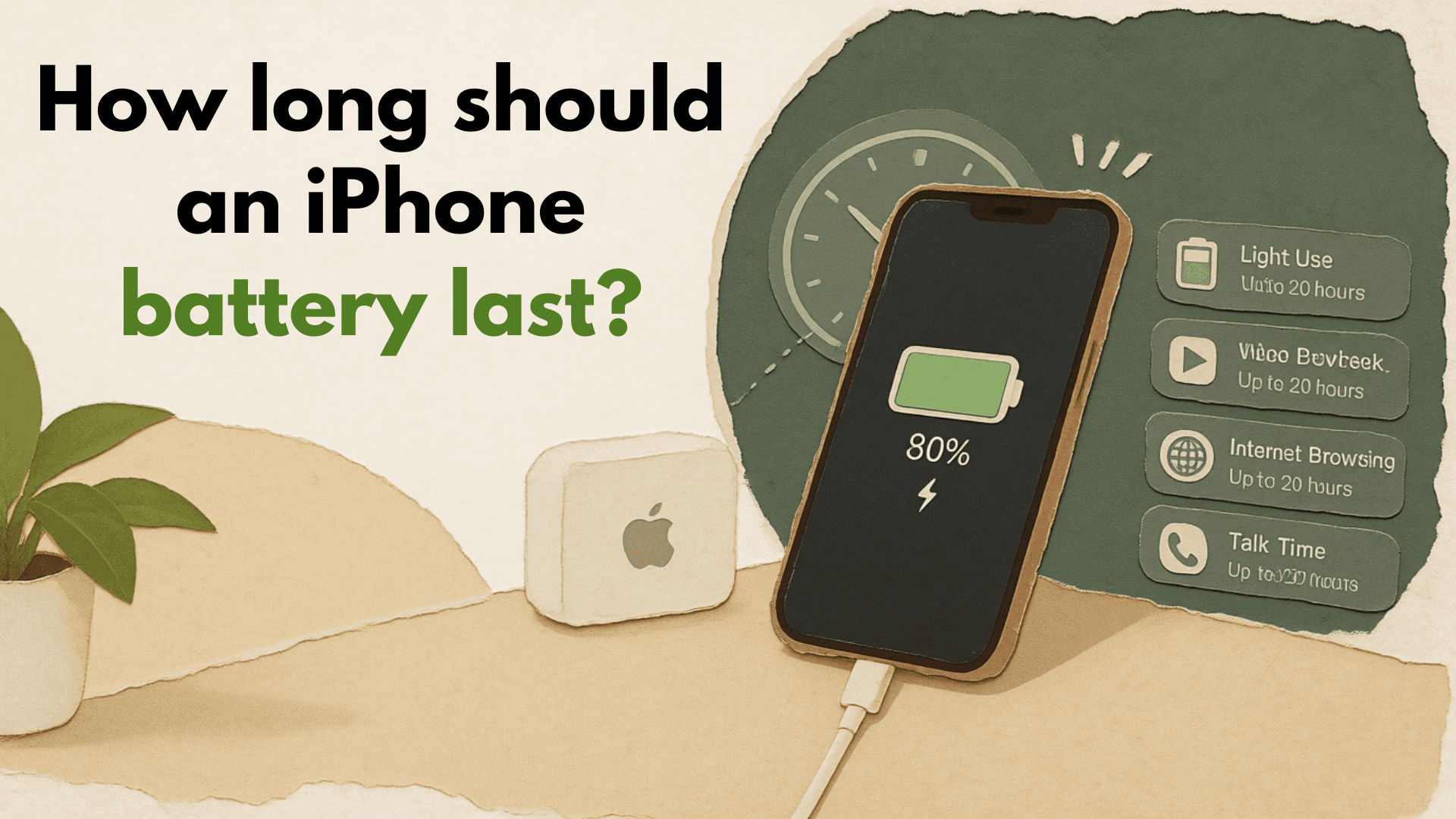
For most people, an iPhone battery should last a full day between charges when the phone is relatively new and used normally, and it should usually remain useful for multiple years before the battery feels noticeably worn. Apple explains battery lifespan separately from daily battery life: “battery life” is runtime before recharging, while “battery lifespan” is how long the battery lasts before it needs replacement. As the battery chemically ages, maximum capacity declines, which can mean fewer hours of use and weaker peak performance over time. (support.apple.com)
That is why questions like “how long should an iphone battery last” can be tricky. A light user who mostly texts, browses, and keeps brightness moderate may be happy with the same battery for longer than someone who games, records video, uses hotspot, streams on cellular data, and charges in hot environments. Both phones may be working normally, but their batteries are living very different lives.
If you are asking how long will iPhone battery last in day-to-day use, look at your screen time, apps, brightness, signal strength, and background activity. If you are asking how long can a iPhone battery last before replacement, look at battery health, cycle count where available, and whether the phone can still support normal peak performance.
Charge cycles explain long-term battery wear
A charge cycle is not the same thing as plugging in your iPhone once. Apple defines a complete charge cycle as using an amount equal to 100% of the battery’s capacity, even if that use is spread across more than one day. For example, using 75% one day and 25% the next adds up to one complete cycle. (support.apple.com)
This matters because iPhone charge cycles are one of the clearest ways to understand battery aging. Every rechargeable lithium-ion battery loses a small amount of capacity over repeated cycles. Partial charging during the day is not automatically harmful; in fact, Apple notes that partial charging is fine, and features such as Optimized Battery Charging or Charge Limit can help extend battery life further. (support.apple.com)
Apple’s cycle expectations vary by model generation. Batteries in iPhone 14 models and earlier are designed to retain 80% of original capacity at 500 complete charge cycles under ideal conditions, while iPhone 15 models and later are designed to retain 80% of original capacity at 1,000 complete charge cycles under ideal conditions. Actual capacity still depends on how the device is used and charged. (support.apple.com)
What a cycle looks like in real life
You do not need to micromanage every percentage point, but it helps to understand the pattern:
- If you use 50% of your battery today and 50% tomorrow, that is one full cycle.
- If you use 20% five times across several days, that also adds up to one cycle.
- Charging from 40% to 80% is not “wasting” a cycle by itself; cycles are based on total battery used.
- Heavy daily use simply adds cycles faster, which can shorten the time before battery performance noticeably declines.
This is why two people who bought the same iPhone on the same day can see different battery health after two years. One may complete a cycle almost every day, while the other may take two days or more to use the same amount of battery.
iPhone battery health shows capacity, not just charge level
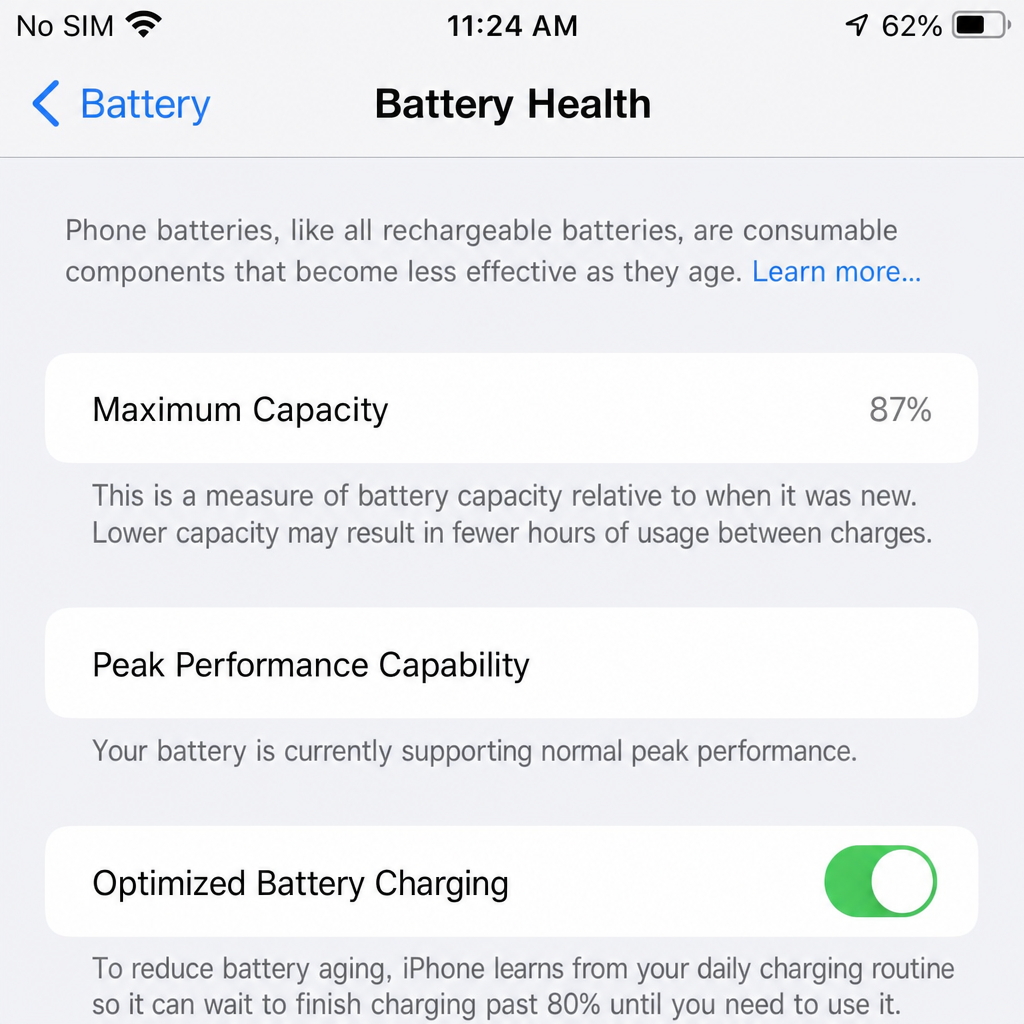
Your battery percentage tells you how much charge is available right now. iPhone battery health tells you how much capacity the battery can hold compared with when it was new. On iPhone 14 or earlier, Apple directs users to Battery Health & Charging; on iPhone 15 or later, Battery Health can also show details such as cycle count, manufacture date, and first use date. (support.apple.com)
Maximum capacity is important because 100% charge on an aged battery is not the same as 100% charge on a new battery. If maximum capacity has dropped, the phone may still charge to 100%, but that “full” battery represents less stored energy than it once did. This is often why an older iPhone seems to drain faster even when your habits have not changed much.
Battery health also connects to peak performance. As a battery ages, it may have more difficulty delivering power during demanding moments, such as launching heavy apps, using the camera, or multitasking. iOS includes performance management to help prevent unexpected shutdowns when needed, and Apple says iPhone 8 and later use hardware and software design intended to estimate power needs and battery capability more accurately. (support.apple.com)
What affects battery performance most?
Battery performance depends on a combination of age, usage, charging behavior, temperature, software activity, and settings. You cannot stop battery aging completely, but you can avoid the habits that make it worse faster. The biggest factor to watch is heat, because high temperatures can stress lithium-ion batteries and make long-term capacity loss more noticeable.
Apple advises avoiding charging or leaving an iPhone in hot environments for extended periods, including direct sun exposure. iPhone can also slow or pause charging when it becomes too warm or too cold, and Apple lists 32° to 95° F, or 0° to 35° C, as the recommended charging environment. (support.apple.com)
Common factors that can reduce daily runtime include:
- High screen brightness, especially outdoors.
- Weak cellular signal, which can make the phone work harder to stay connected.
- Frequent video recording, navigation, gaming, or hotspot use.
- Apps with heavy background activity or constant notifications.
- Charging in direct sunlight, under a pillow, in a hot car, or inside a heat-trapping case.
- Very cold conditions, which can temporarily reduce performance until the phone warms up.
The practical takeaway is simple: the way you charge and use your iPhone does not need to be perfect, but it should be reasonable. A phone that stays cool, uses optimized charging features, and avoids constant heavy drain will usually age more gracefully.
Daily runtime and battery lifespan are not the same
Many people search “how long does an iPhone battery last” when they really mean, “Why is my iPhone not making it through the day anymore?” Daily runtime is affected by what happened today: screen time, app use, navigation, photos, signal strength, and settings. Lifespan is the bigger picture: how much capacity remains after months or years of charging and discharging.
This distinction helps you troubleshoot wisely. If your battery suddenly drains quickly after a software update, a long travel day, poor reception, or unusual app use, the battery itself may not be failing. But if runtime has slowly declined over many months, maximum capacity has dropped, and performance warnings appear, the battery may be nearing the point where service is worthwhile.
Quick checks before blaming the battery
Before you assume the battery needs replacement, review a few basics:
- Open Battery settings and check which apps used the most power.
- Compare today’s usage with previous days to see whether the drain is unusual.
- Look for apps running heavily in the background.
- Restart the iPhone if battery drain begins suddenly.
- Update apps and iOS when appropriate.
- Check Battery Health for maximum capacity and peak performance messages.
- Notice whether drain happens mostly in hot weather, cold weather, or weak signal areas.
These checks can separate a true battery issue from a temporary software, app, or environment problem.
Replacement makes sense when the battery limits the phone
A lower maximum capacity number alone does not always mean you need a new battery immediately. The better question is whether the battery is getting in the way of how you use the phone. If your iPhone still lasts through your normal day, supports normal peak performance, and does not shut down unexpectedly, you may not need to do anything yet.
Replacement becomes more reasonable when you see a pattern: the phone drains much faster than your usage explains, you need multiple charges daily, performance management messages appear, or the device shuts down even with charge remaining.
Apple says the Battery Health screen can recommend service when needed, and battery service or recycling should be handled by Apple or an Apple Authorized Service Provider. (support.apple.com) A good rule is to treat battery replacement as a usability decision, not just a number decision. If the phone still meets your needs, keep using it. If the battery forces you to carry a charger everywhere, avoid normal features, or replace the whole phone earlier than planned, a battery service may restore enough convenience to be worthwhile.
If your battery is making you consider replacing the entire phone, it is worth checking the resale value of your current iPhone before upgrading. Cashmycell’s iPhone resale value tool can help you estimate what your device is worth today and understand how its value may change over time.
Habits that help an iPhone battery last longer
You do not need extreme charging rules to protect battery health. Modern iPhones include tools that manage charging more intelligently, and normal partial charging is fine. The goal is to reduce unnecessary heat, avoid constant deep drain when possible, and let iOS manage charging in the background.
Helpful habits include:
- Turn on Optimized Battery Charging if it is available on your model.
- Use Charge Limit features where available if you often leave the phone plugged in.
- Remove the case if the phone gets warm while charging.
- Avoid charging in direct sunlight or inside a hot car.
- Lower brightness or use Auto-Brightness when practical.
- Use Wi-Fi instead of cellular data when available and reliable.
- Reduce unnecessary notifications from apps that wake the phone often.
- Store an unused iPhone around half charged rather than fully drained.
- Keep your iPhone updated so battery reporting and power management work properly.
These habits do not guarantee a specific result, because battery aging depends on many variables. They simply give the battery a better environment, which can support steadier battery performance over time.
Setting realistic expectations
So, how long should an iPhone battery last? Daily, a healthy iPhone should generally support the way you normally use it without constant charging. Over the long term, expect gradual capacity loss, with cycle count, heat, charging habits, and heavy use shaping how quickly that happens.
The best approach is to watch the signs that matter: maximum capacity, cycle count if your model shows it, peak performance messages, sudden shutdowns, and whether the phone still fits your daily routine. If you understand iPhone charge cycles and monitor iPhone battery health without obsessing over every percentage point, you can make smarter decisions about charging, troubleshooting, and replacement.
For more insights on iPhone resale values, depreciation, and when to sell your device, explore Cashmycell articles.