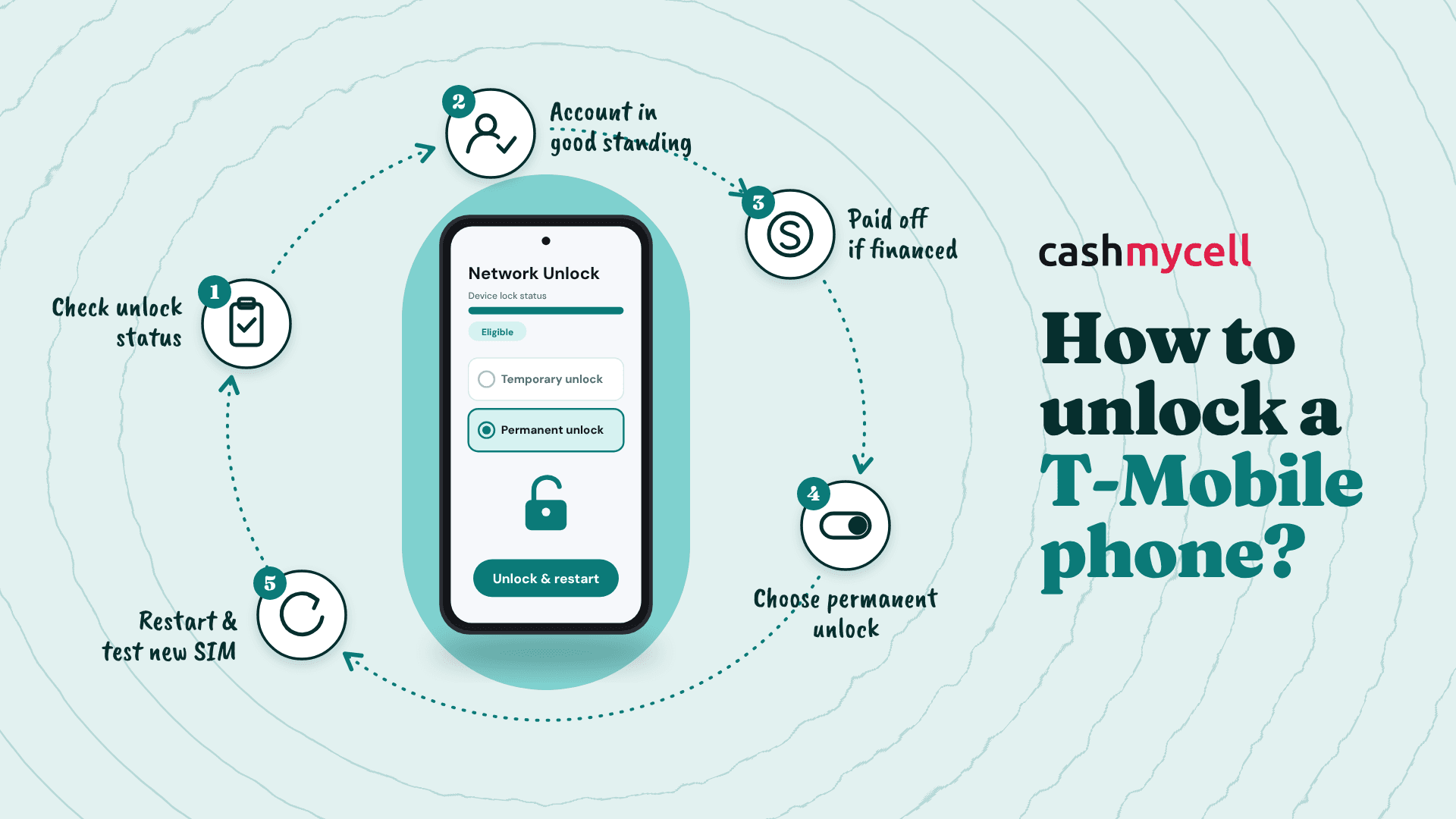
Unlocking a T-Mobile phone means removing the carrier restriction so the device can work on another compatible wireless network. For most eligible devices, the process is straightforward: check your status, meet T-Mobile’s requirements, then complete the unlock in your phone settings or with T-Mobile support. If you are switching carriers, traveling internationally, selling a phone, or giving it to someone else, this guide walks you through the practical steps without the usual confusion.
How do you know if your T-Mobile phone can be unlocked?
Your T-Mobile phone can usually be unlocked if it was sold by T-Mobile, has not been reported lost, stolen, or blocked, and the associated account is in good standing. T-Mobile says eligible devices are unlocked free of charge, and devices that support remote unlock are generally unlocked automatically within two business days after they become eligible. You can also check the unlock status in your T-Mobile account or in the T-Life / T-Mobile app before you start changing settings. (t-mobile.com)
That last point matters because a lot of people jump straight into phone menus and assume something is broken when the real issue is eligibility. If the account still has a balance, the device is still financed, or the phone has not been active long enough, the unlock option may fail or never appear. So before searching “t mobile unlock phone” and trying random fixes, confirm that the basics are covered.
What phone unlocking actually does
A carrier unlock, also called a SIM unlock or network unlock, lets a phone use another carrier’s SIM or eSIM if the phone is technically compatible with that carrier’s network. It is not the same thing as roaming. Roaming lets your T-Mobile service connect through another network while you are still using your T-Mobile plan; unlocking lets the device itself be used with another provider. (t-mobile.com)
That distinction is useful if you are traveling. If you only need temporary service abroad, your T-Mobile plan may already include international features, depending on your plan. But if you want to use a local SIM, move to another carrier, or sell the device as unlocked, then you need the device unlock completed first.
Unlocking also does not guarantee perfect service on every carrier. A phone may be unlocked and still lack full support for another provider’s bands, features, 5G performance, visual voicemail, Wi-Fi calling, or eSIM setup. T-Mobile’s support materials note that not all devices are compatible with every wireless provider, so the next carrier’s compatibility checker is just as important as the unlock itself. (t-mobile.com)
T-Mobile unlock requirements at a glance
Before you try to unlock T-Mobile phone settings, run through the main requirements. The details vary depending on whether the device is tied to a postpaid or prepaid account, but the broad idea is simple: the phone needs to be legitimate, paid for when required, and active long enough to qualify.
General requirements usually include:
- The device must be sold or authorized by T-Mobile. If another carrier sold the phone, T-Mobile generally is not the company that can unlock it.
- The phone must not be reported lost, stolen, or blocked. A flagged IMEI can prevent unlocking and activation elsewhere.
- The related account must be in good standing. Billing or account issues can hold up the request.
- The phone must meet postpaid or prepaid rules. These include active-service time frames and, in some cases, payment or refill requirements. (t-mobile.com)
For postpaid devices, T-Mobile’s policy says the phone must have been active on the T-Mobile network for at least 40 days on the requesting line. If the device was financed or leased through T-Mobile, payments must be satisfied and the device must be paid in full. If the account was canceled, the account balance must be zero. (t-mobile.com)
For prepaid devices, T-Mobile’s policy says at least 365 days must have passed since activation on the T-Mobile network. If the device was activated less than 365 days ago, the associated prepaid account must have had more than $100 in refills during that period for each active line on the account, and more than 14 days must have passed since purchase. T-Mobile also limits prepaid unlocks to no more than two completed mobile device unlocks per line in a 12-month period. (t-mobile.com)
There are exceptions in some cases. For example, deployed military personnel who are customers in good standing may be eligible for unlocking after providing overseas orders. If that applies to you, contacting T-Mobile directly is usually the cleanest route. (t-mobile.com)
Step-by-step: how to check your unlock status
The easiest way to avoid wasted time is to check your unlock status before doing anything else. T-Mobile provides two main paths: through your online account or through the app.
Option 1: Check on T-Mobile.com
- Log in to your T-Mobile account.
- Go to the Accounts page.
- Select the line connected to the phone you want to unlock.
- Choose Check device unlock status.
- Review whether the device is eligible and what, if anything, is still required. (t-mobile.com)
Option 2: Check in the T-Life / T-Mobile app
- Open the T-Life / T-Mobile app.
- Choose the Manage tab.
- Select the line for the device.
- Look for the Device lock status field.
- Open the status details to view progress toward eligibility. (t-mobile.com)
If your phone is already eligible and supports remote unlock, you may not need to request much at all. T-Mobile says it automatically unlocks eligible devices within two business days when remote unlock is supported. For devices that cannot be remotely unlocked, T-Mobile says it will send a notification with next steps after eligibility is reached. (t-mobile.com)
How do you unlock the phone once it is eligible?
Once your device is eligible, connect it to Wi-Fi or the T-Mobile network and follow the unlock path for your device type. The exact menu names can vary by model and software version, but T-Mobile’s support steps give a helpful starting point for common phones. If your model is not listed or the process fails, contact T-Mobile support rather than guessing through third-party tools. (t-mobile.com)
iPhone
On an iPhone, you can check whether the unlock is complete by going to Settings > General > About. If the Carrier Lock field says No SIM restrictions, the iPhone is unlocked. T-Mobile says customers with a locked but eligible iPhone should contact T-Mobile so the unlock can be submitted. (t-mobile.com)
After the unlock is processed, you can usually test it by inserting another carrier’s SIM or setting up that carrier’s eSIM. If the phone recognizes the new carrier and activates properly, you are in good shape. If it still shows a restriction, restart the phone, check for software updates, and then contact support if the message remains.
Samsung
For many Samsung devices, T-Mobile lists the path as Settings > Connections > More Connection Settings > Network Unlock > Permanent Unlock. Once the unlock completes, restart the device. This is the kind of simple settings-based process most people expect when they search for how to unlock t mobile phone instructions. (t-mobile.com)
Google Pixel, Motorola, LG, OnePlus, and older Android devices
For Google Pixel devices, T-Mobile’s support page points users to the T-Mobile Device Unlock (Pixel) app from the Play Store, then Check eligibility and Permanent Unlock. Motorola, LG, and OnePlus devices may use different settings paths, while some older Android phones use a preinstalled Device Unlock app. In most cases, the final action is choosing Permanent Unlock, waiting for confirmation, and restarting the device. (t-mobile.com)
The key word is “permanent.” If you see both temporary and permanent unlock options on an older device, choose permanent when your goal is to switch carriers, sell the phone, or use it freely long term. Temporary unlocks, where available, are usually intended for short travel situations and are not the same as fully unlocking the device.
Common problems that slow down the process
Most unlock issues come down to eligibility, account details, or compatibility. The good news is that each problem has a fairly logical next step.
If your unlock request fails, check these first:
- Payment status: If the phone was financed, confirm it is fully paid off when required.
- Active time: Postpaid devices need the required active time on the requesting line; prepaid devices have separate timing and refill rules.
- Account balance: If the account was canceled, make sure any remaining balance is cleared.
- IMEI status: A phone reported lost, stolen, or blocked will not be treated like a normal eligible device.
- Original carrier: If T-Mobile did not sell or authorize the phone, contact the carrier or manufacturer that sold it.
- Device compatibility: An unlocked phone still needs to support the new carrier’s network and activation rules. (t-mobile.com)
Be careful with paid “unlock code” websites, especially if they promise instant results for any device. Some may be unreliable, and others may not be able to bypass legitimate carrier requirements. The safest path is to use T-Mobile’s official eligibility check, your account tools, and T-Mobile customer support.
What to do before switching carriers
If your goal is to unlock t-mobile phone service and move elsewhere, do a little prep before canceling your current account. First, save or transfer anything important, including photos, authentication apps, voicemails, and contacts. Next, check whether your number transfer requires an account number, transfer PIN, or port-out PIN from T-Mobile.
You should also ask the new carrier to verify the phone’s IMEI before you make the jump. This can save you from the annoying situation where a phone is unlocked but still not ideal for the plan or network you want. T-Mobile also offers a compatibility checker for people bringing a device to T-Mobile, and other carriers commonly provide similar checks for incoming devices. (t-mobile.com)
The simple takeaway
Unlocking a T-Mobile phone is usually less about technical skill and more about meeting the requirements in the right order. Check the device status, confirm the account and payment details, follow the steps for your phone model, and restart the device after the unlock completes.
If everything lines up, the process can be quick and painless. If it does not, the status page will often tell you what is missing. And when the menus do not match your device, T-Mobile support is the best next stop—especially for eligible iPhones, hotspots, tablets that need an unlock code, or any device showing an error during the permanent unlock process. (t-mobile.com)