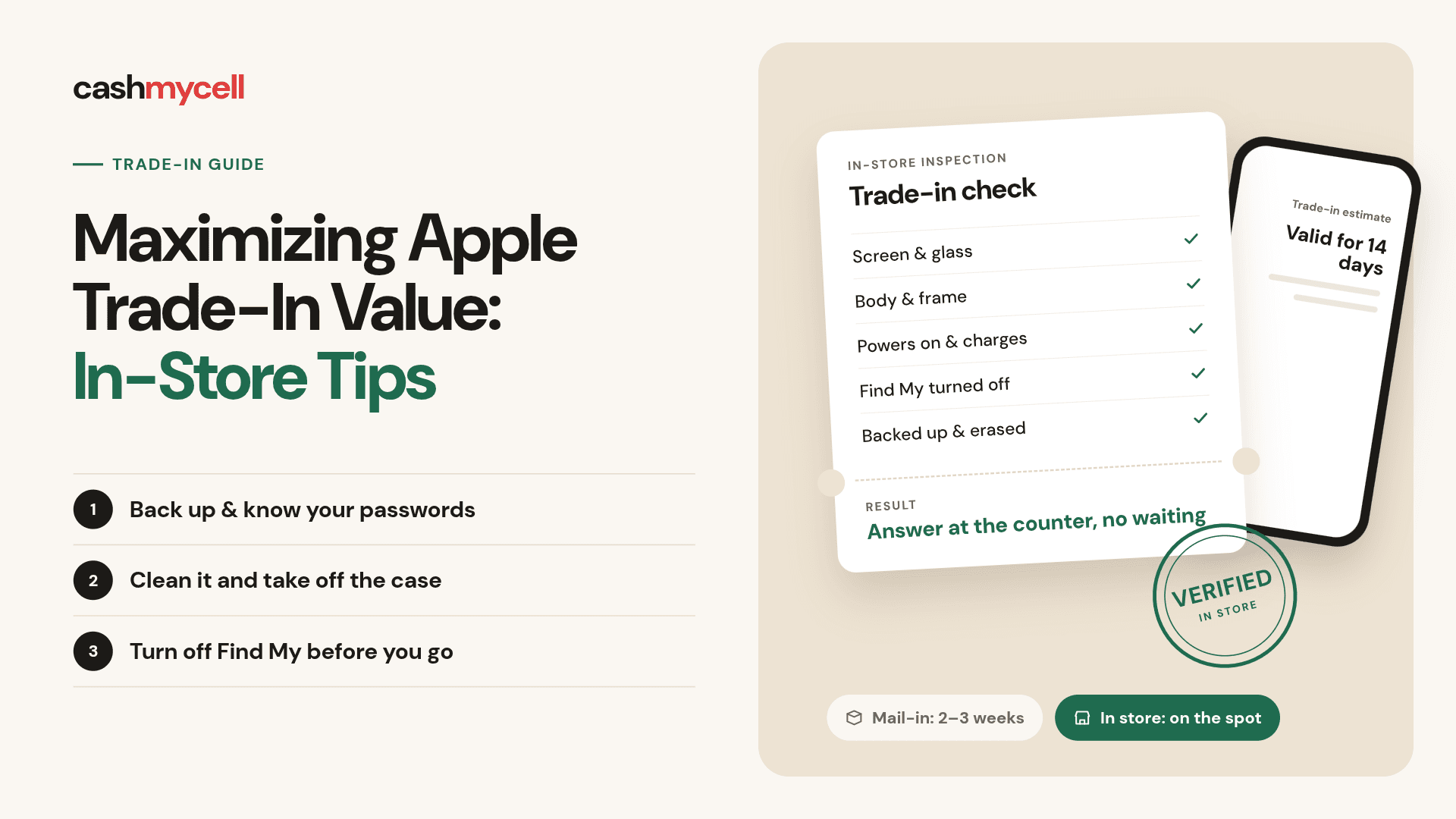
Trading in an Apple device can be a simple way to reduce the cost of an upgrade, especially when you walk into the store prepared. Apple Trade In is available online and at Apple Store locations, and the final credit depends on the device, model, manufacturer, and condition. The real opportunity is not “negotiating” a higher number, but making sure the device is evaluated accurately, your data is protected, and you avoid preventable value reductions.
Can you get more Apple trade in value in person or store?
You may get a different Apple trade-in value in person than you saw online, but not because the store is a bargaining counter. Apple says a Specialist evaluates the device on the spot, and the store credit may differ from the online estimate if the condition does not match what was described online. In practical terms, searching “more apple trade in value in person or store” is really a question about accuracy: an in-store visit can help you resolve condition questions immediately, but the same device flaws can still reduce the offer.
That makes preparation the biggest lever you control. A clean, charged, accessible device with the right account settings turned off is easier to inspect. A device with unclear ownership, forgotten passwords, unfinished repairs, or visible damage is more likely to run into delays or revised value.
Understand what actually affects trade-in value
The most important factors are usually the model, storage capacity, working condition, screen and body damage, battery and power behavior, and whether the device can be properly erased and transferred. Apple’s public guidance says value depends on the device, model, manufacturer, and condition, so your goal is to make the condition easy to verify and accurately described.
This is where many trade-ins go wrong. People focus on cleaning the screen but forget about activation locks, account sign-outs, cellular plans, or unfinished repairs. Those details may not make the device newer, but they can affect whether the Apple device trade is smooth, eligible, and processed without a lower revised offer.
Before you visit, look at your device the way an evaluator would:
- Screen: Check for cracks, dead spots, deep scratches, discoloration, or touch problems.
- Body: Look for bent frames, dented corners, loose buttons, damaged ports, or camera lens issues.
- Power: Confirm that the device turns on, charges, and stays on long enough to be inspected.
- Account status: Make sure you know the passcode and Apple Account credentials needed to turn off Find My.
- Repair status: If the device shows an unfinished repair notice, handle it before trade-in when possible.
- Data readiness: Back up, transfer, and erase only when you are ready to hand the device over.
The point is not to hide problems. It is to avoid surprises. Honest condition reporting protects you from disappointment, and in-store inspection gives you a clearer answer before you commit.
The in-store advantage is clarity, not magic
A store visit can be helpful because you are not waiting for a mail-in inspection to learn whether your estimate holds. Apple’s online trade-in process can involve shipping the device, verification, and then credit processing; Apple notes that online trade-ins generally take two to three weeks, with additional time for credit processing after verification.
With an Apple Store trade, you can ask questions while the device is in front of you. If there is a condition mismatch, you hear about it immediately. If you forgot a step, such as turning off Find My, you may be able to fix it before the trade-in is completed.
That immediacy is one of the key trade-in benefits. It does not guarantee a higher offer, but it can reduce uncertainty. For someone upgrading today, that may be more valuable than squeezing every possible dollar from a private sale.
Prepare your device before you walk in
Apple recommends backing up and erasing devices before sending them in, and its support guidance includes steps such as backing up an iPhone, erasing the device, removing a physical SIM card, contacting your carrier for eSIM service, and removing an active cellular plan from a cellular Apple Watch.
For an in-store trade-in, the sequence matters. Do not erase your only copy of important data before you have confirmed your backup worked. At the same time, do not arrive without the passwords needed to disable security features or remove the device from your account.
Use this practical checklist before your appointment or store visit:
- Back up your data. Use iCloud, Finder, or another reliable backup method, depending on your device.
- Transfer important content. Confirm photos, messages, files, passwords, and app data are available on your new device or backup.
- Charge the device. Bring it in with enough battery for inspection.
- Remove cases and accessories. A bare device is easier to evaluate for dents, cracks, and port issues.
- Know your Apple Account password. You may need it to turn off Find My or complete reset steps.
- Remove SIM cards when applicable. If your device uses a physical SIM, remove it before you hand over the device.
- Handle cellular plans. For eSIM or cellular Apple Watch plans, check with your carrier so you do not leave service attached to the old device.
- Check repair messages. Apple’s support guidance says unfinished repairs can affect trade-in readiness, so review service history if your device shows repair-related notices.
This checklist is simple, but it solves the most common friction points. The easier it is for the Specialist to verify the device, the less likely you are to lose time at the counter.
Clean presentation helps inspection
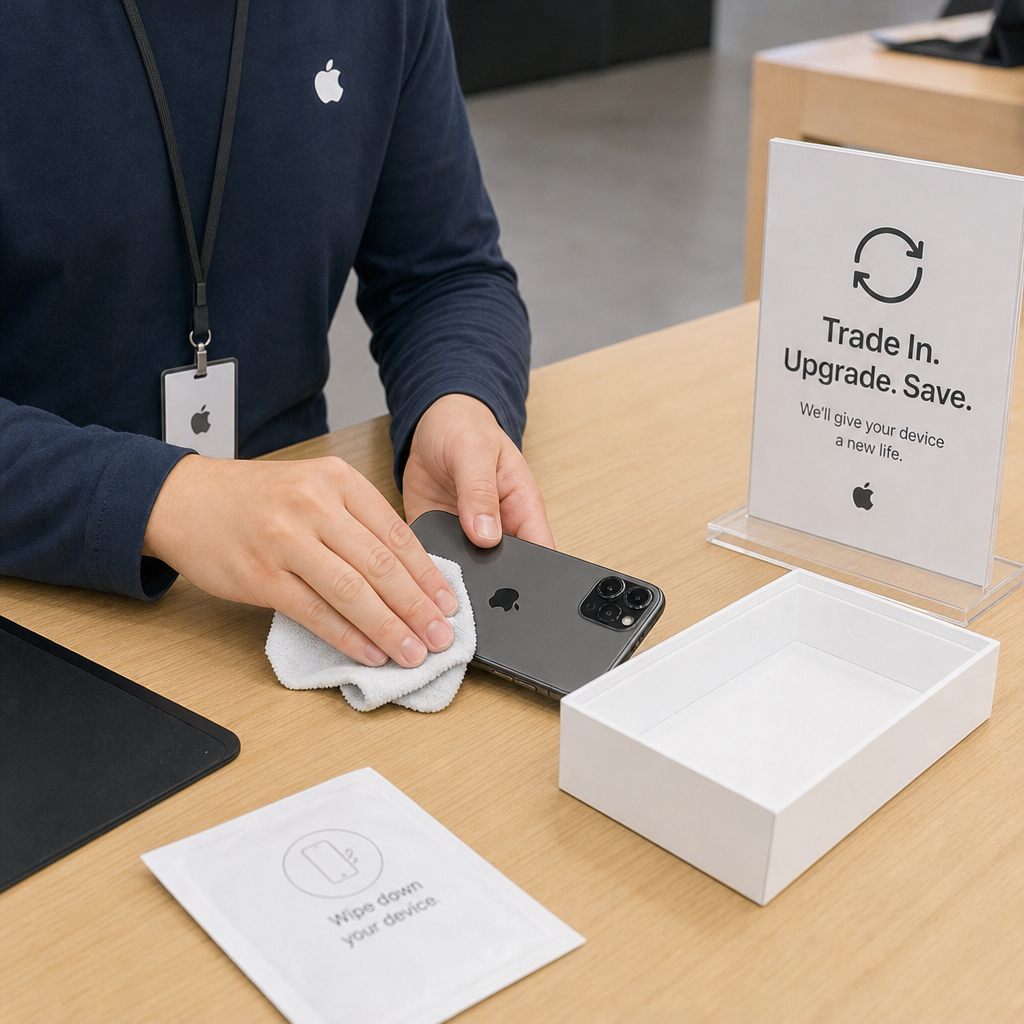
Cleaning your device will not turn an older model into a newer one, but it can help the condition inspection go smoothly. Dust in a case, fingerprints on a screen, and pocket lint around ports can make a device look worse than it is. Use a soft, lint-free cloth and avoid harsh liquids or anything that could damage coatings, ports, or speakers.
Remove stickers, case residue, wallet attachments, and screen protectors if they are hiding the true condition. If the screen protector is cracked but the screen underneath is fine, leaving it on can create confusion. If removing it might damage the device, be careful and use judgment.
A clean device also helps you spot issues before the store does. You may find a hairline crack, a swollen battery symptom, a camera scratch, or a charging problem you had stopped noticing. That lets you set realistic expectations instead of being surprised by a lower value.
Be accurate when comparing online and in-store estimates
A useful trade-in comparison starts with the same device details. If you check an online estimate, enter the correct model, storage, carrier status when relevant, and condition. Do the same if you compare Apple’s offer with a carrier, reseller, or private sale option.
Apple says online estimates depend on accurate answers and that the device condition must match what you described to receive the expected value. If the inspected condition is different, Apple may provide a revised value; if a lower revised value is offered after inspection, you can accept or reject it under Apple’s stated process.
Here is a simple way to compare options without getting distracted:
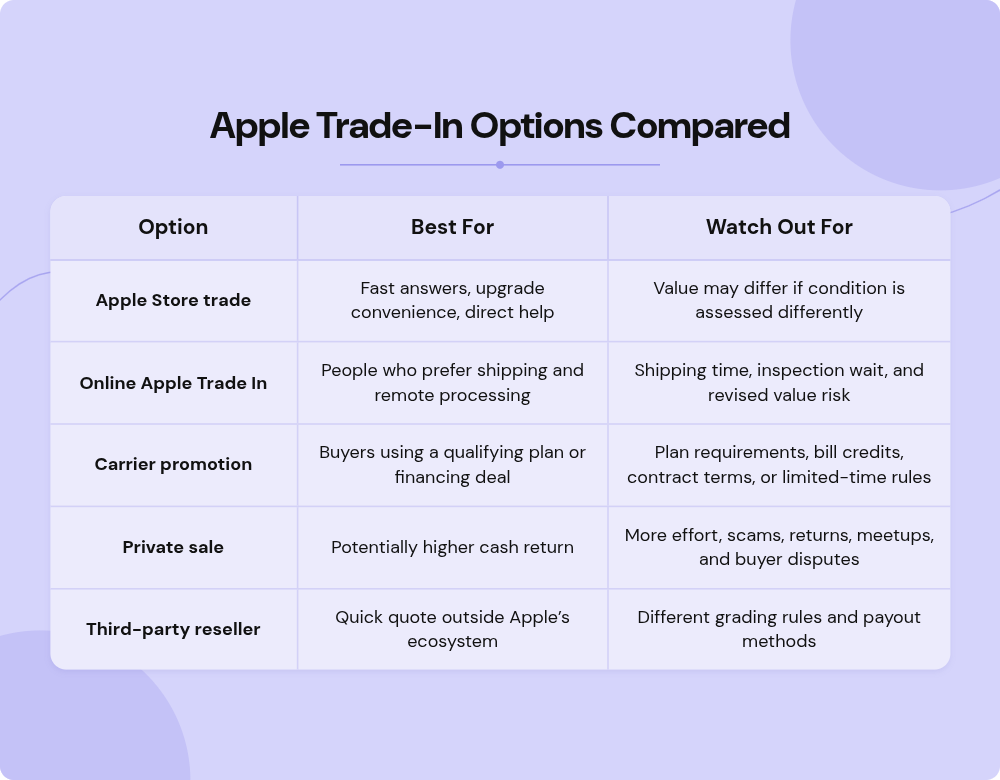
The best choice depends on your tolerance for effort. If you want simplicity, an Apple Store trade may be worth it even if a private marketplace might pay more. If you want the highest possible cash return, compare carefully and factor in your time, risk, and payment certainty.
Special notes for a Mac Store trade-in
People often say “mac store trade in” when they mean trading a Mac at an Apple Store. For a Mac, preparation can take longer than it does for an iPhone because files are larger, user accounts may be more complex, and accessories or external drives may be part of your everyday setup.
Before bringing in a Mac, identify the exact model and specs. Apple notes that Mac users can find the serial number from the Apple menu under About This Mac, and the serial number helps produce an accurate trade-in value for Mac, iPad, or Apple Watch.
Also give yourself enough time to sign out of services, copy local files, and confirm that you do not need anything left on the internal drive. If the Mac belongs to a business, school, or family member, make sure you are authorized to trade it in and that management profiles or account locks will not block the process.
Timing can protect your estimate
Timing matters because trade-in values can change, and online trade-in estimates are not open-ended. Apple states that a trade-in estimate is valid for 14 days after you receive your new device, and the device needs to be received within that time frame to help ensure the estimated value.
If you are upgrading in store, try not to wait until the device is damaged, outdated beyond your comfort zone, or missing key accessories you need for setup. The best time to think about trade-in is before launch-day excitement, travel plans, or a dying battery forces a rushed decision.
A few timing habits can help:
- Check value before you upgrade. Do not assume last month’s estimate still applies.
- Trade while the device still works reliably. A device that powers on and can be inspected is easier to process.
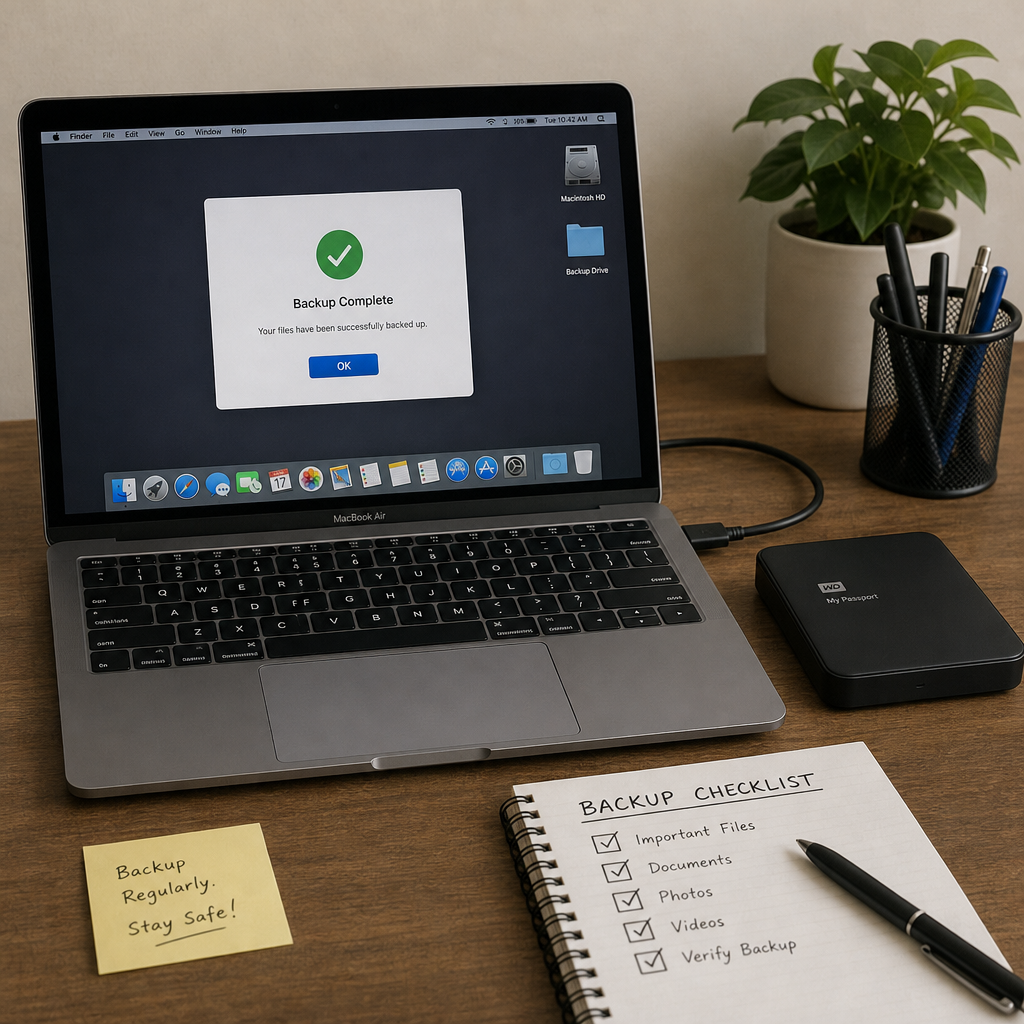
- Plan around backups. Large photo libraries and Mac backups can take longer than expected.
- Avoid last-minute store visits. Give yourself room to solve password, carrier, or data transfer issues.
The goal is to make the trade-in part of your upgrade plan, not an afterthought.
Common mistakes that reduce trade-in confidence
The biggest mistakes are usually ordinary ones. A person arrives with a dead battery, cannot remember a passcode, has not backed up photos, or assumes the online estimate is guaranteed no matter what inspection finds. None of those issues means the trade-in will fail, but each one can slow the process or change expectations.
Another common mistake is comparing only the headline number. A carrier offer may look larger but require specific financing, plan terms, or bill credits. A private buyer may offer more but cancel, bargain at pickup, or create payment risk. Apple Trade In may not always be the highest number, but the convenience, privacy support, and recycling option can be meaningful trade-in benefits for many users. Apple also says devices that are not eligible for credit may still be recycled for free.
Finally, do not include accessories unless instructed. Apple’s support page says not to include items such as cases, power adapters, cables, or watch bands in a mail-in trade-in box because they will not be returned. For in-store visits, keeping accessories separate helps you avoid accidentally giving away something you still need.
A smart in-store strategy
If your main question is still “more apple trade in value in person or store,” think of the store as a way to get a more confident answer, not a secret higher-price channel. Start with an online estimate, inspect the device honestly, prepare your data, then visit the store ready to complete the process or walk away if the final value does not fit your plan.
A strong strategy looks like this:
- Get an online estimate using accurate device details.
- Compare it with one or two realistic alternatives.
- Prepare the device for inspection and data transfer.
- Bring identification if required locally and any information needed for your purchase.
- Ask the Specialist to explain any condition-related value change.
- Decide based on total convenience, timing, and credit usability, not just the top-line number.
That approach keeps you in control. You may not be able to change the formula, but you can remove avoidable obstacles.
The practical takeaway
Maximizing Apple trade-in value is mostly about preparation, accuracy, and timing. An in-store visit can give you immediate clarity, especially when you want help with the upgrade or do not want to wait for mail-in inspection. Clean the device, back it up, turn off account locks when appropriate, compare your options, and treat the final store evaluation as the number that matters.
If convenience, privacy support, and a straightforward upgrade path are important to you, Apple Store trade-in can be a strong choice. If your only goal is the highest possible cash payout, run a careful trade-in comparison first. Either way, the best trade-in result starts before you reach the counter.